

Comparisons
8 Best AI App Builders Tested: From Prototype to Running a Business
The best AI app builders, tested. Compare Lovable, Replit, Spark, v0 & more on build time, pricing, and built-in tools. Find the right one for your business.

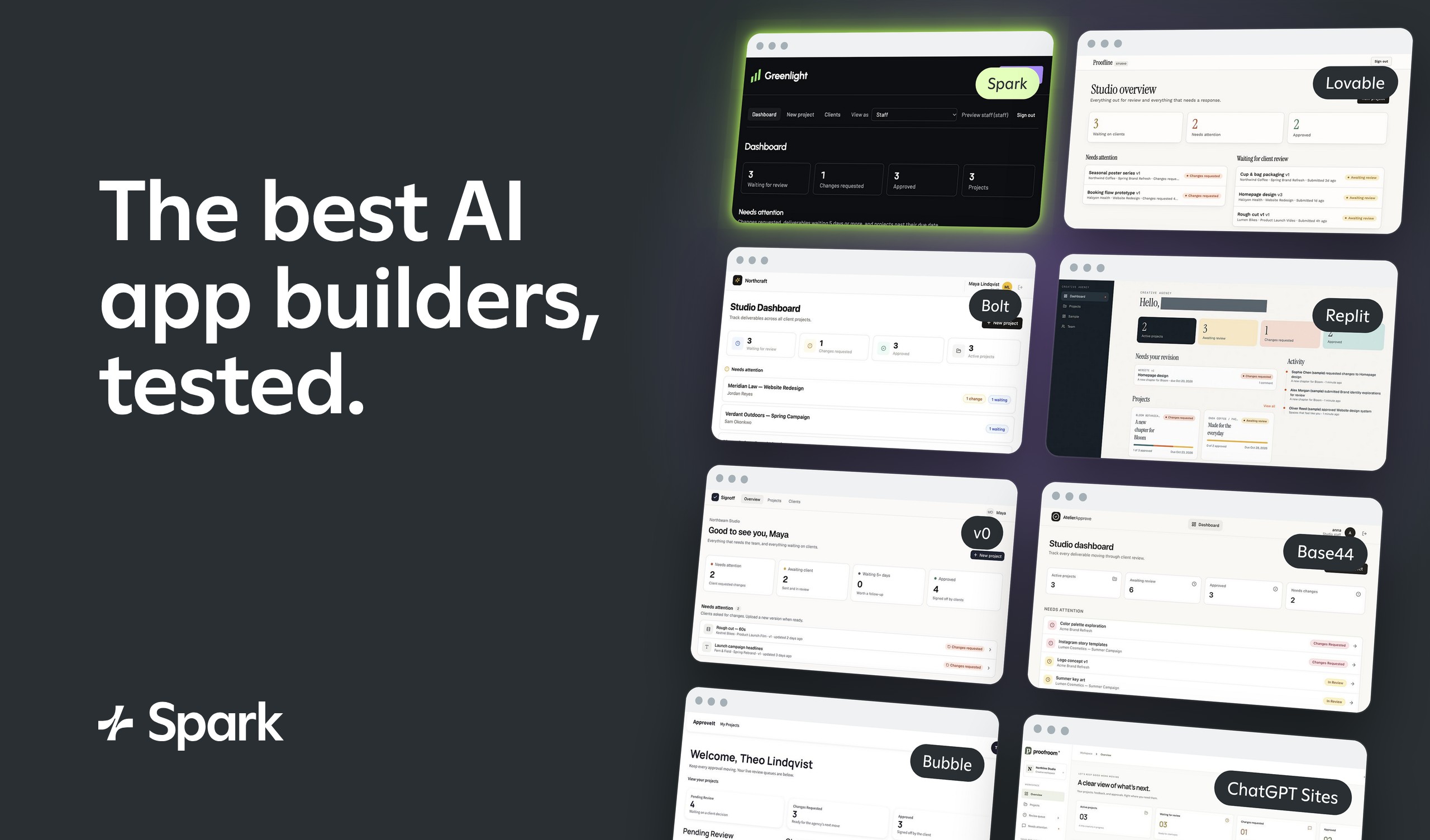
Building an app from a prompt has never been easier, thanks to the many no-code AI tools on the market. But developing an app you can run a business with is much more difficult, especially if you don’t have a technical background.
To help you find the right tool for the job, I tested eight popular AI app builders. The results ranged from apps that worked well and looked great with minimal effort to apps that required endless back-and-forth with an AI agent.
I’ll walk you through how long each tool took to generate a v1, the editing process, when I’d consider adding each one to my tech stack, and when I’d look elsewhere.
What are the best AI app builders?
| Tool | Best for | Starting price | Business tools |
|---|---|---|---|
| Spark | Building a business around your app | $25/month | Transactional and marketing email, payments via Stripe |
| Lovable | Building a working app quickly | $25/month | Payments, transactional email, ads |
| Bolt | Developers who also need design tools | $25/month | Transactional email, payments via Stripe |
| Replit | Builders who value code and design | $20/month | Transactional email, payments via Stripe |
| v0 | Builders who value thoroughness over speed | $30/month | Payments via Stripe, email via integrations |
| Base44 | Native mobile app development | $20/month | Payments, transactional email |
| Bubble | Builders familiar with low-code and no-code tools | $32/month | Transactional email, payments via plugin |
| ChatGPT Sites | Teams already in the OpenAI ecosystem | $20/month | Email via plugins |
Here’s which tool to pick based on what you need:
-
To run a business on your app: Spark is the only tool with marketing email built in, and it also supports payments via Stripe and custom domains.
-
For a working app with little troubleshooting: Lovable and Replit needed the fewest fixes.
-
For a mobile app: Base44 and Bubble both build native mobile apps.
-
If you’re comfortable with code: Bolt and v0 make it easy to fix things yourself.
-
For a quick internal tool: ChatGPT Sites works well if your team already pays for ChatGPT.
How we tested AI app builders
I gave every tool the same short prompt. Build a client approval portal for a small creative agency. To pass, the app needed separate logins for agency staff and clients, a way for staff to share deliverables for review, and a way for clients to approve work or request changes with a comment.
For each tool, I noted:
-
Build time: how long it took to go from prompt to first version
-
Usage: credits, tokens, or dollars spent on the test
-
Fixes: what broke and how much back-and-forth it took to resolve
-
Editing: whether you can make changes by hand or only through prompts
-
Code ownership: whether you can export your code or sync it to GitHub
-
Business tools: built-in payments, email, and custom domain purchases
The 8 top AI app builders (tested)
The tools I tried are listed in no particular order. Spark is our product, so I’ve listed it first. I tested it with the same prompt and process as every other tool.
Spark: Best for building a business around your app
Spark is an AI app builder for businesses that want to sell what they build. It includes accounts, payments, marketing, and email, so you can grow your customer base and run your business from the same place you manage your app.
Spark at a glance
| Build time | 8:00 |
|---|---|
| Total credits used | $7.87 in build credits |
| Code export or sync | Not provided |
| Business tools | Marketing and transactional email, payments via Stripe integration |
| Starting price | $25/month |
| Free plan | Yes ($15 one-time build credits) |
Building with Spark: Hands-on review
Spark was one of the few tools that asked me questions before building. It prompted me to choose a name and add brand elements. Then, it ran a plan by me to make sure we were on the same page.
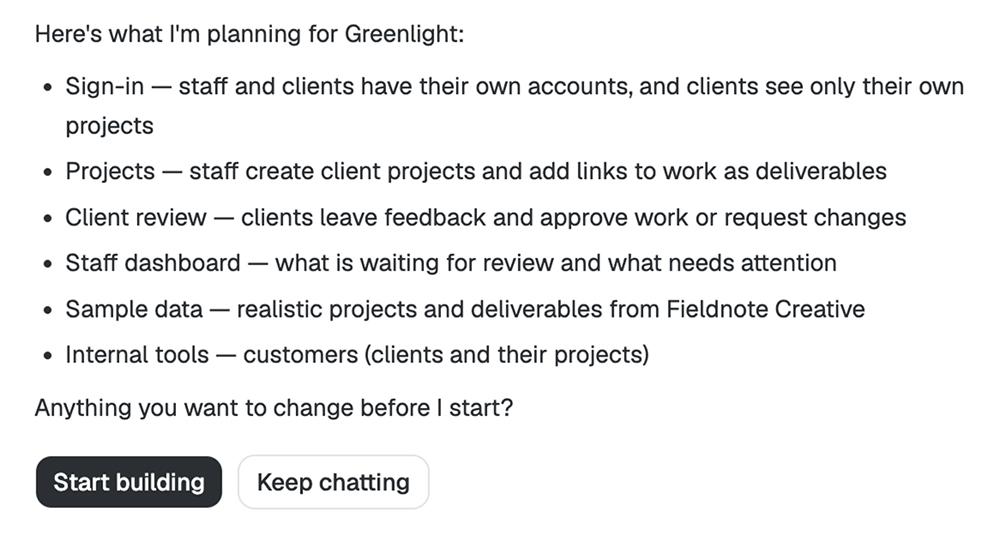
After generating the v1, it provided helpful instructions that walked me through publishing the app and signing into the site. I was able to toggle between staff and client previews to get the full picture.
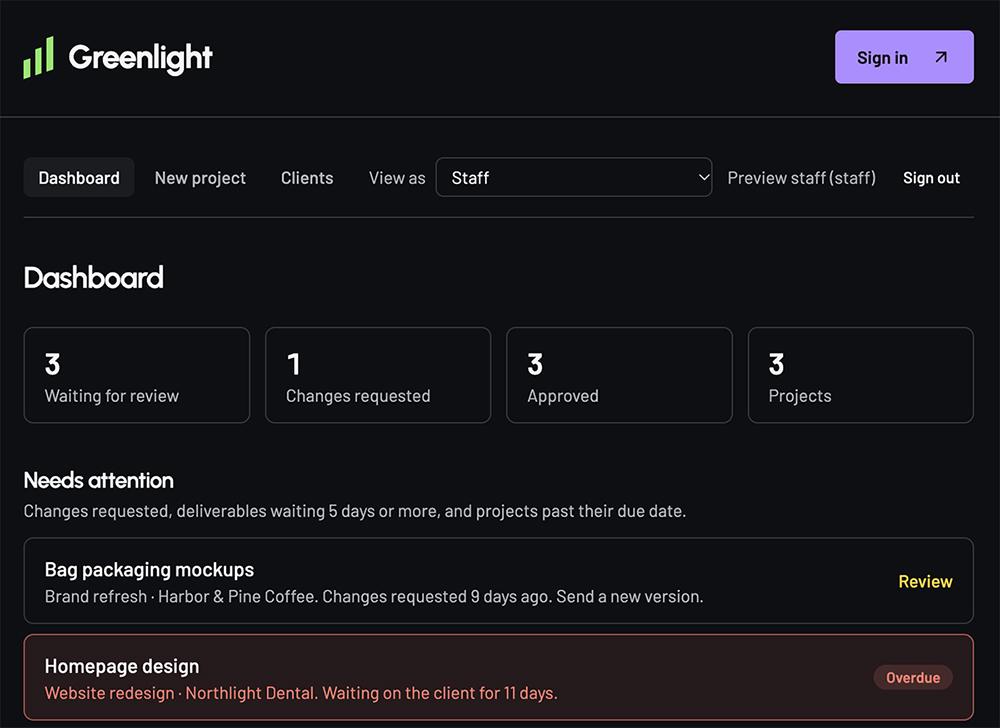
The dashboard had all of the essential features, including deliverables organized by status and project. And for staff, there was an easy way to add new clients and team members.
For clients, it was easy to find deliverables waiting for review. Clients could review, approve, or leave feedback.
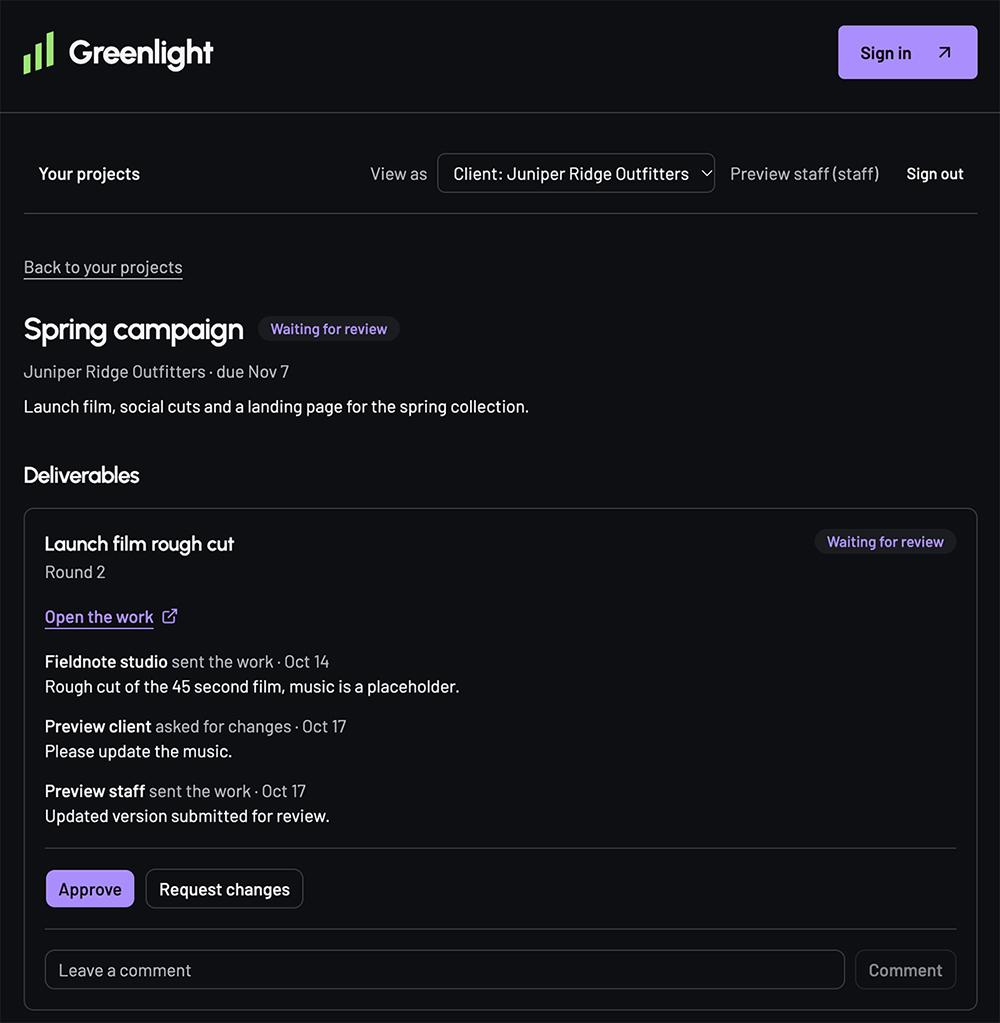
With Spark, I didn’t have to fix anything behind the scenes to get logins and approvals working. The only bug I noticed was that the header button still said “sign in” after I’d logged in.
Making changes to the design was quick. And in my experience, it only took one try to get the result I wanted.
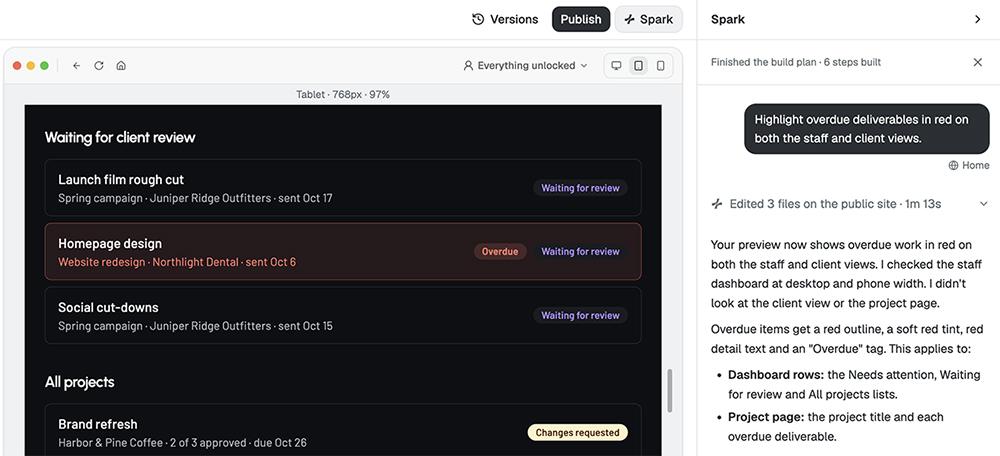
Editing is prompt-only, so you can’t click an element to change it or leave comments on specific parts of the page.
You can connect a custom domain, but you’ll need to buy it elsewhere. There’s also no way to view or export the code, which makes Spark a better fit for non-technical builders.
Between the customizable branding, built-in marketing emails, and Stripe integration for payments, Spark makes it easy to promote your app and grow a subscriber base.
Spark can even develop a marketing plan for your app. The agent did some preliminary market research for my app before suggesting a multistep action plan. It includes developing tool comparison content, leveraging social proof, and launching an outreach campaign for agencies.
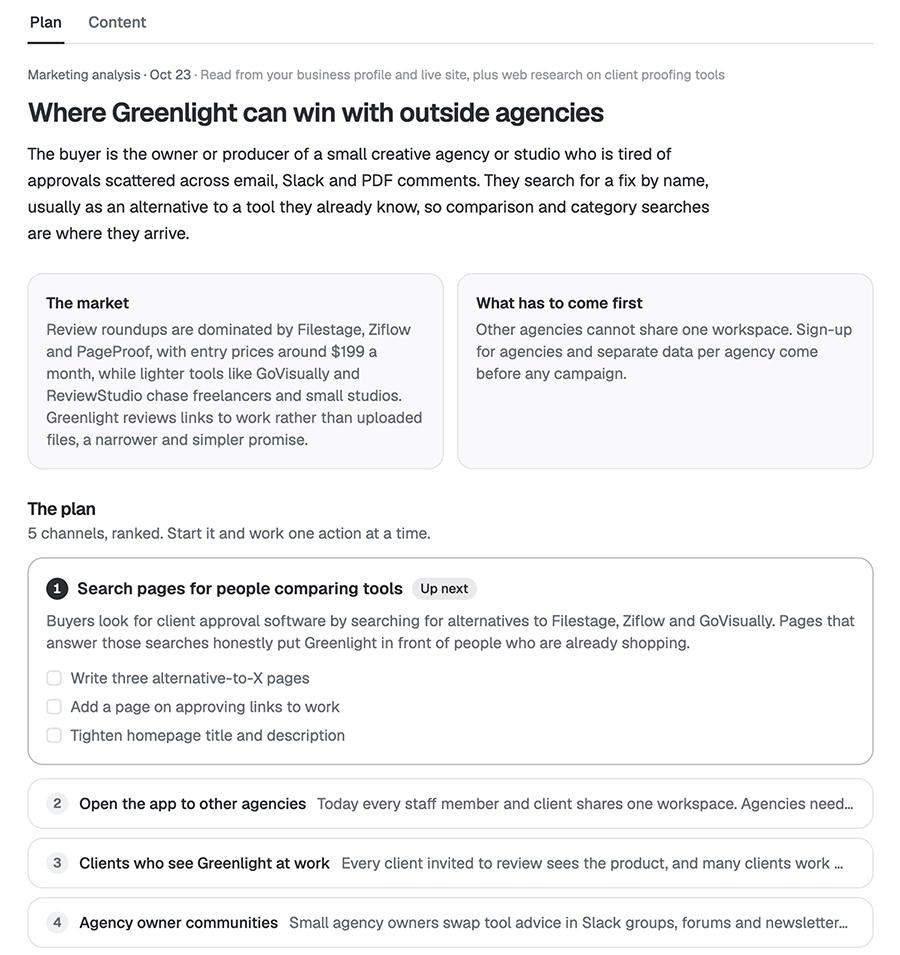
After you finalize your marketing plan, Spark can assist with creating marketing content.
Is Spark a good choice for you?
Consider Spark if you want to build a business around your app and you need a full customer flow with payments, emails, and marketing tools.
Look elsewhere if you need to develop an iOS or Android app, as Spark focuses on responsive web apps.
Lovable: Best for building a working app quickly
Fast and easy to use, Lovable is a decent choice for beginners who want to build an app without a ton of back and forth. But be prepared to give it some design direction or use one of the many available templates.
Lovable at a glance
| Build time | 4:30 |
|---|---|
| Total credits used | 8 credits |
| Code export or sync | GitHub sync and code export |
| Business tools | Payments, transactional email, ads, and custom domain purchases (marketing email requires an integration) |
| Starting price | $25/month |
| Free plan | Yes (30 credits per month) |
Building with Lovable: Hands-on review
Lovable is one of the fastest no-code app builders I tried, going from prompt to draft in just four and a half minutes. The first version looked and functioned exactly as expected.
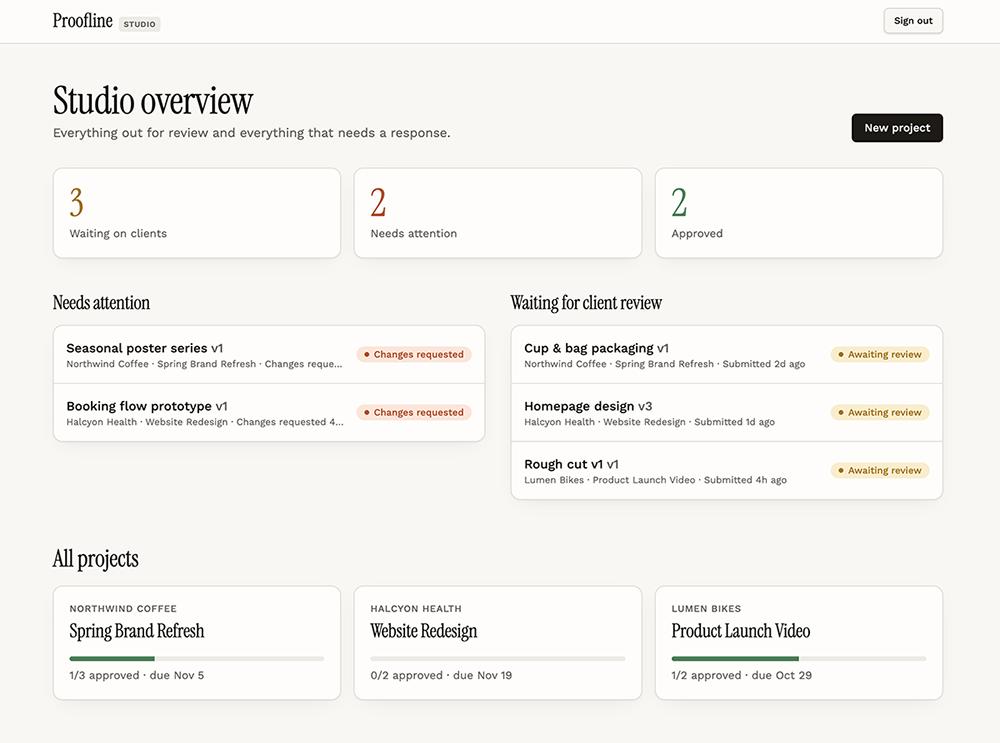
When presenting the preview, Lovable explained what it had tested and how other users could sign in. This helped assure me that it had built what I needed.
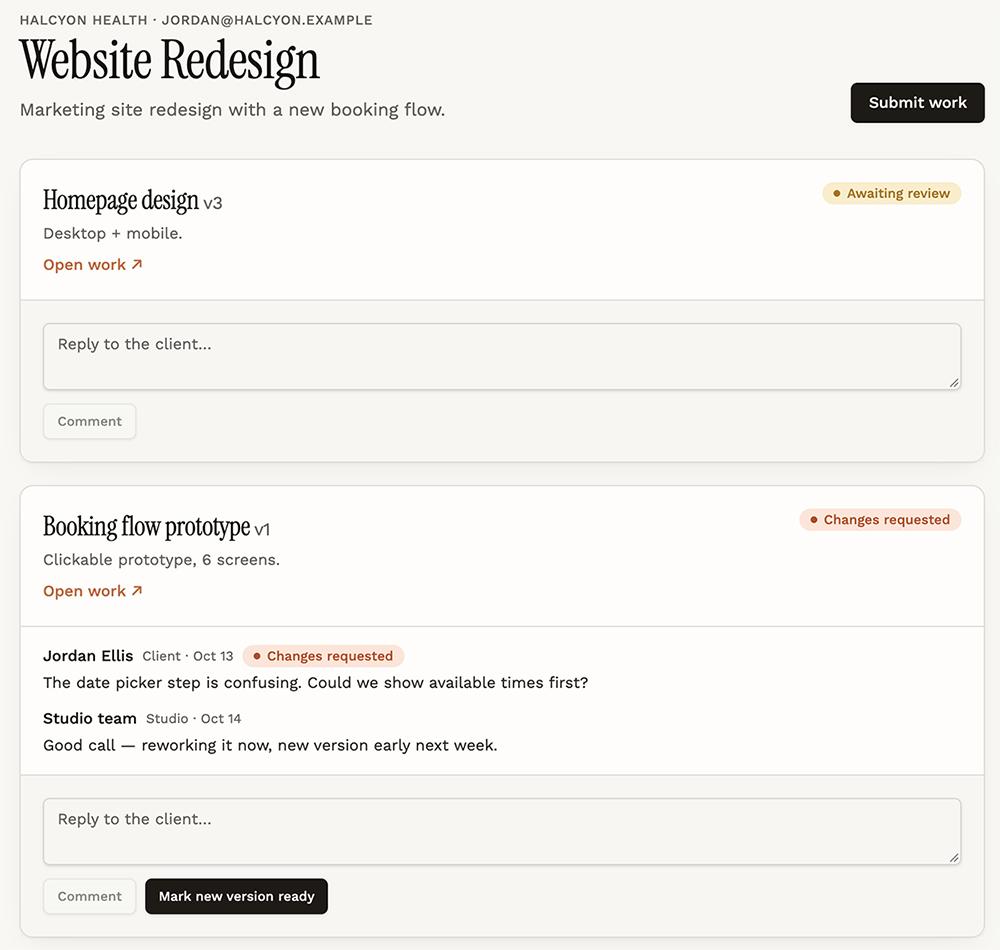
Although the app didn’t need edits for basic functionality, the deliverables were missing due dates. Lovable quickly added them when prompted. It also supports manual edits, annotations, and comments.
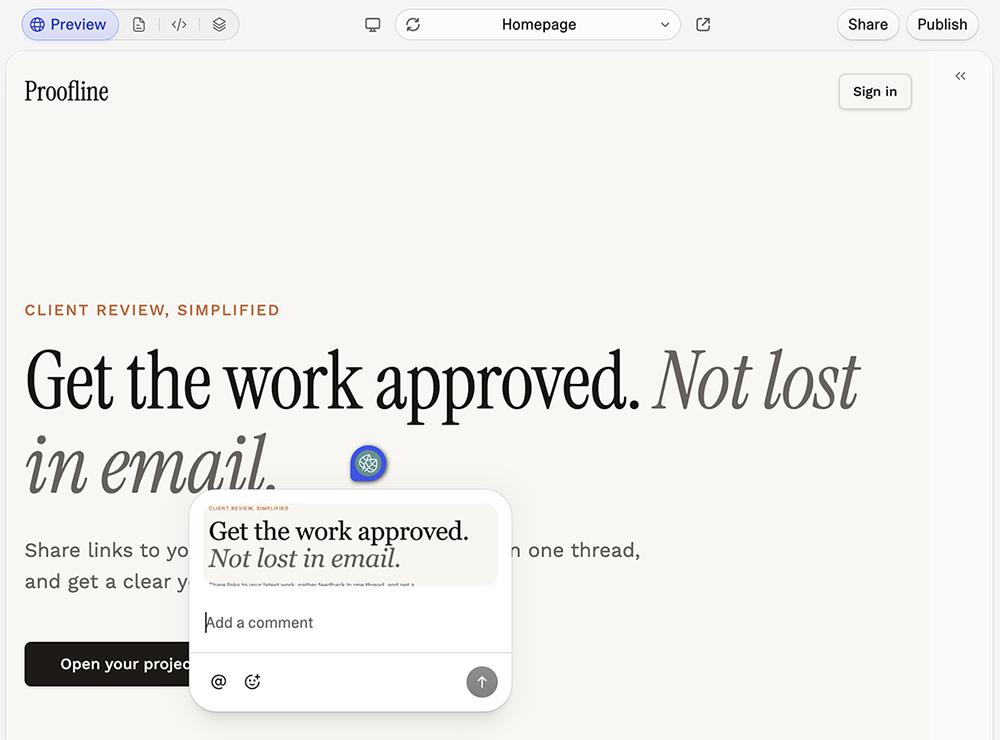
I appreciated that it suggested next steps like inviting additional staff members and turning client feedback into action items. While I didn’t implement these ideas, they were helpful for getting me to think about how to improve the app.
Is Lovable a good choice for you?
Consider Lovable if you aren’t technical and you want to build a functional app that doesn’t need a lot of troubleshooting.
Look elsewhere if you want to build more than just apps and landing pages. Lovable doesn’t create slides or other design assets.
Bolt: Best for developers who also need design tools
Bolt is an AI builder that creates apps, websites, slides, and other projects. While it’s worth considering for anyone who wants an all-in-one tool, I’d argue it’s a better fit for technical users who are well-versed in troubleshooting.
Bolt at a glance
| Build time | 7:30 |
|---|---|
| Total credits used | 591,000 tokens |
| Code export or sync | GitHub sync and code export |
| Business tools | Transactional email and custom domain purchases (marketing email via integrations and payments via Stripe) |
| Starting price | $25/month (Pro plan) |
| Free plan | Yes (300,000 token daily limit) |
Building with Bolt: Hands-on review
Of all the AI app development tools I tested, Bolt was the only one that used the name of my fictional agency in the app rather than coming up with a name for the app itself. This suggests that it didn’t truly understand what I wanted to build.
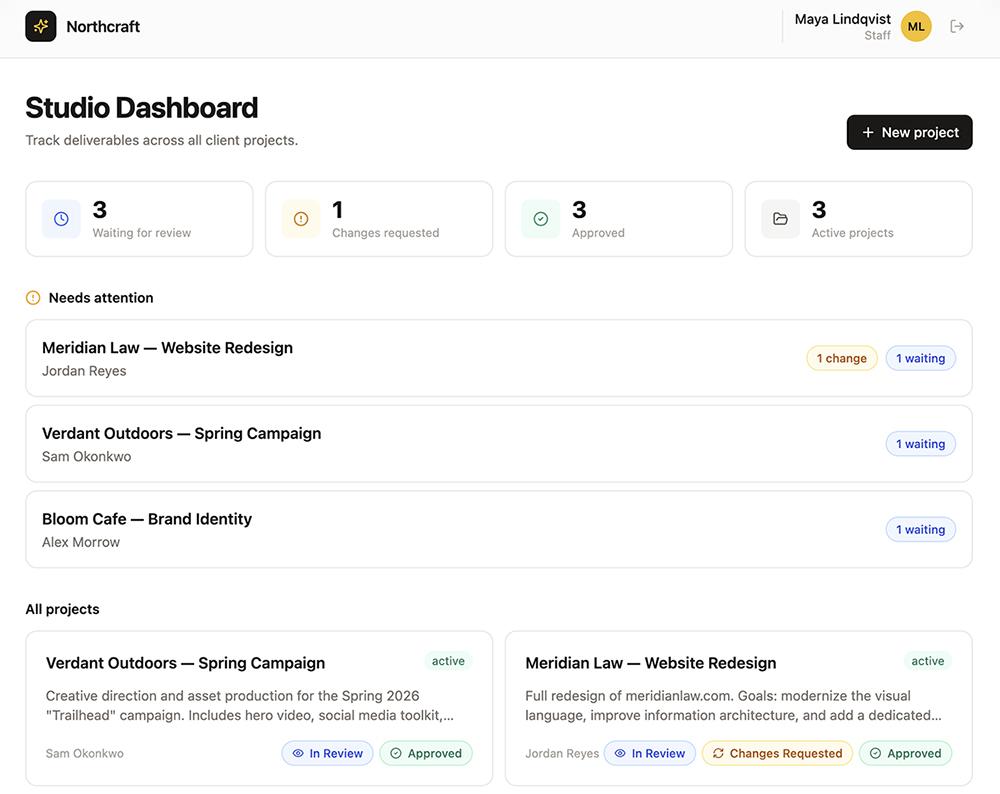
Aside from the app name, the dashboard looked fine and included all the basic elements I’d asked for. The deliverable screen even had a status dropdown, which was a nice added touch.
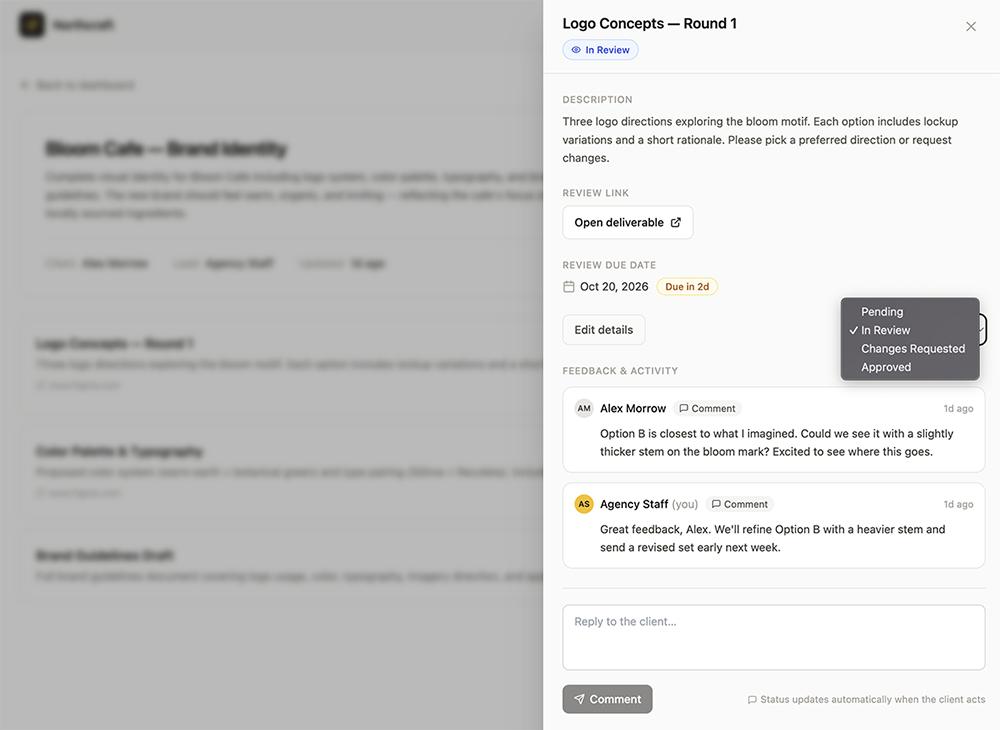
But I ran into trouble as soon as I tried to test the app. First, none of the demo account logins worked. That took multiple rounds of edits to resolve.
Then, I realized Bolt had no way to add staff accounts. And it was pretty terrible at fixing the problem.
After I turned down its idea to allow all new users to sign up as clients and then manually prompt Bolt to upgrade specific users to staff, it set up an admin user who could manage staff. Except that user login didn’t work, which took multiple more rounds to fix.
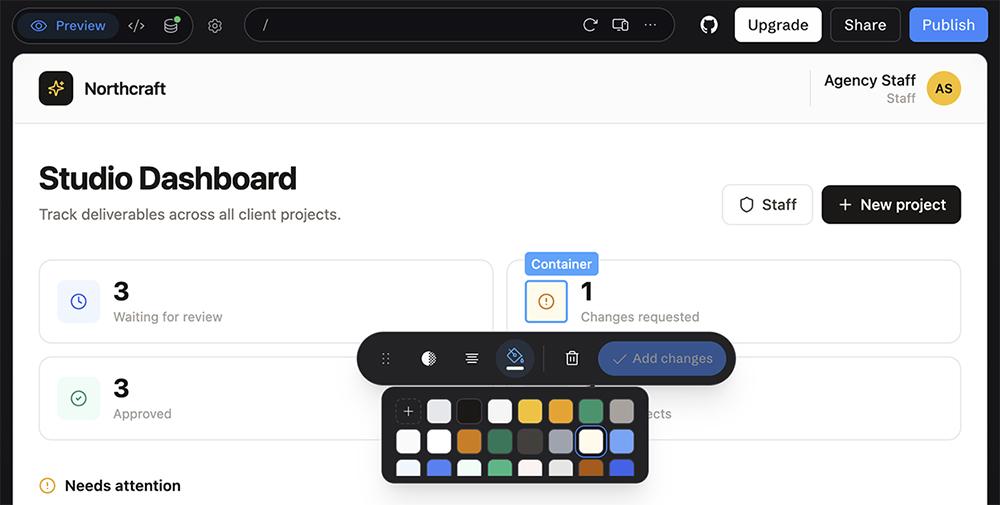
On the plus side, Bolt lets you manually edit code and make design updates. So if you’re comfortable with that, it would probably be a lot faster (and cheaper) to fix any issues yourself.
Is Bolt a good choice for you?
Consider Bolt if you plan to build more than just apps. This general purpose tool can also develop websites, slides, and more.
Look elsewhere if you need a first draft that’s already in great shape. The app Bolt built for me required extensive edits, which really added up.
Replit: Best for builders who value code and design
More than just an AI app builder, Replit also has strong design chops. It’s a worthwhile option when you need an app that works well and looks sharp.
Replit at a glance
| Build time | 7:30 |
|---|---|
| Total credits used | $3.58 |
| Code export or sync | GitHub sync and code export |
| Business tools | Transactional email and custom domains (marketing email via integrations and payments via Stripe) |
| Starting price | $20/month (Core) |
| Free plan | Yes (free daily usage) |
Building with Replit: Hands-on review
Speed-wise, Replit fell right in the middle of the pack when creating v1 of my app. But it required minimal edits afterward, so I’d say it was one of the fastest app builders I tested.
Its design was one of the strongest. Replit proactively added an activity stream to the main dashboard and added consistent color coding to designate different actions.
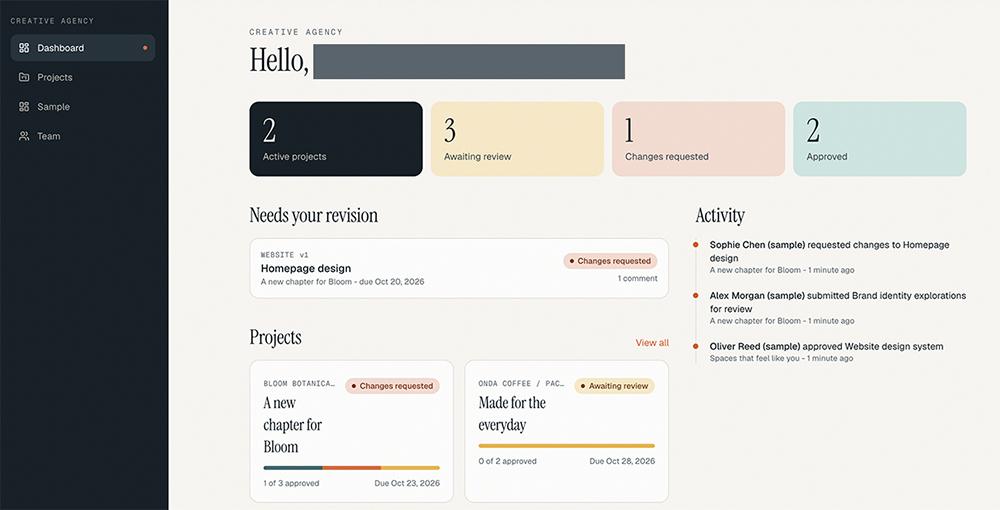
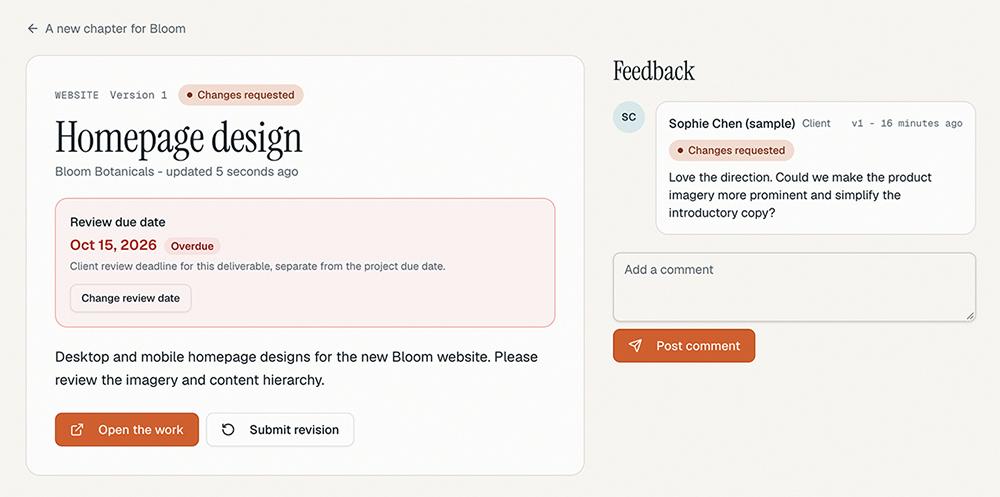
The v1 didn’t need significant edits, as Replit had already devised a coherent system for agency staff and clients to sign up for the app. But I was easily able to use the AI agent for small changes like highlighting overdue tasks in red.
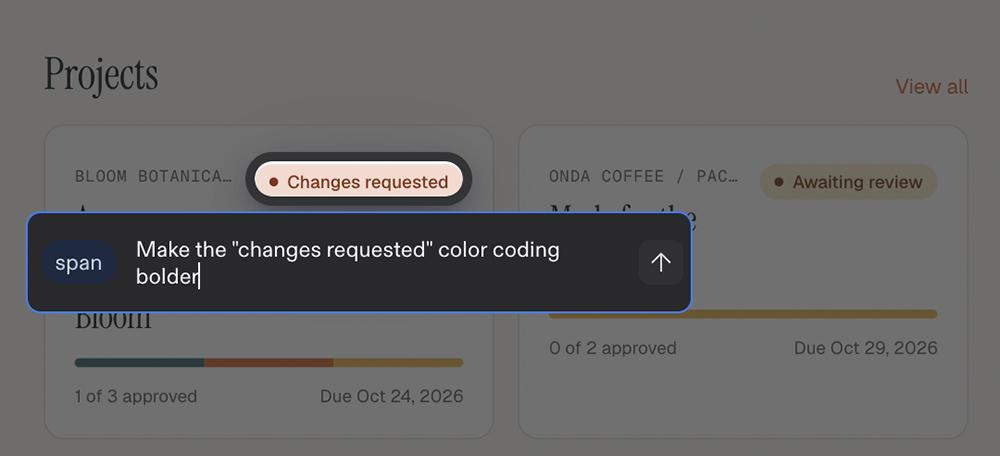
Replit also has some of the most robust manual editing features of any tool I tested. You can switch from build mode to design mode and apply a design system or update almost any element of the app.
Is Replit a good choice for you?
Consider Replit if you want an app that needs few fixes out of the gate and if you want to polish the design yourself.
Look elsewhere if you need an AI app builder that covers the full customer flow without the need for third-party integrations.
v0: Best for builders who value thoroughness over speed
As Vercel’s app builder tool, v0 feels more like working with a patient developer than a quick app generator. Make sure you have plenty of patience to spare since it takes a lot of time to spin up a v1 of your app.
v0 at a glance
| Build time | 19:30 |
|---|---|
| Total credits used | $14.08 |
| Code export or sync | GitHub sync and code export |
| Business tools | Custom domains (payments via Stripe and email via integrations) |
| Starting price | $30/month (Plus plan) |
| Free plan | Yes ($5 one-time credit) |
Building with v0: Hands-on review
v0 was the slowest AI app builder I tested by far, taking more than 19 minutes to go from prompt to v1. Given all that extra time, I hoped the first draft would be a significant improvement over the other tools’ versions. But the dashboard looked and worked more or less the same.
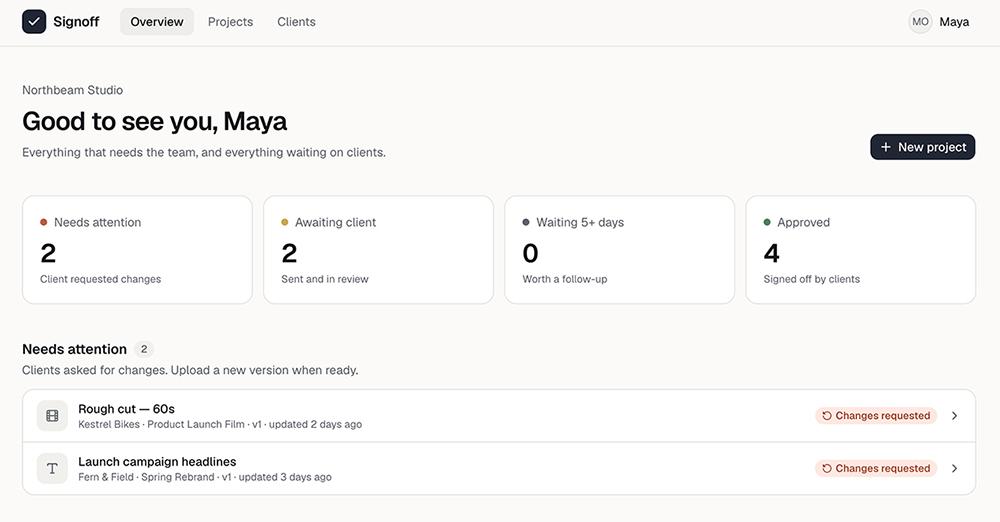
The v0 app did have more details on deliverable pages, though. The activity feed and date tracking would be really useful for an agency managing client work.
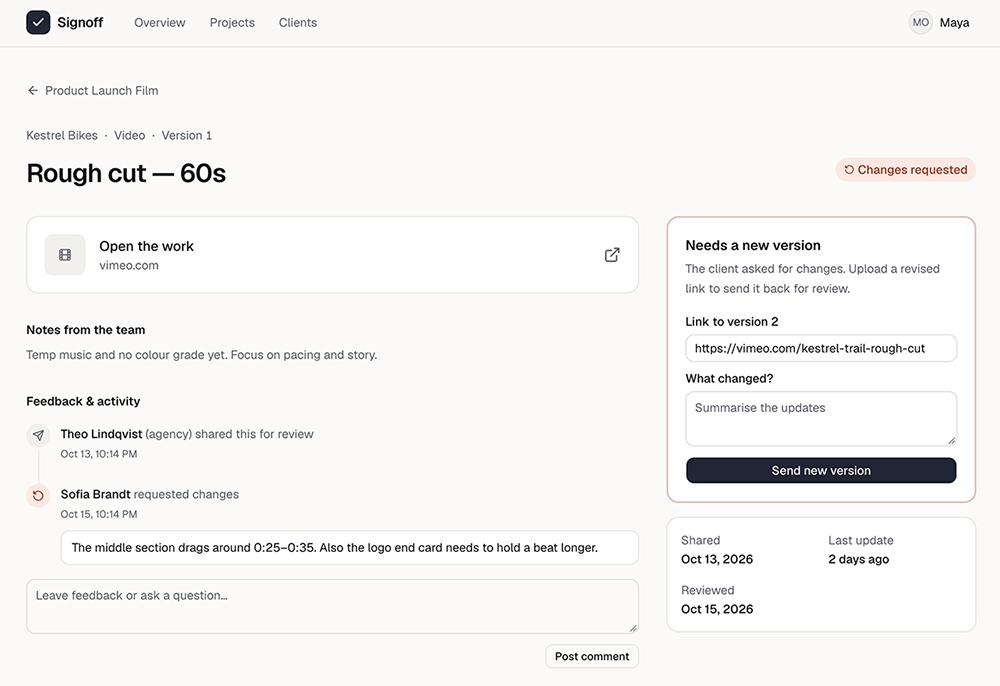
v0 had one of the more helpful assistants of any web app builder I tested. Whether I was asking a question or requesting an edit, it fully explained what it had done and why, along with what I should do next and where I could find the changes.
The app also has a design editor where you can update the copy and on-page elements manually. The feature was tricky to find, though.
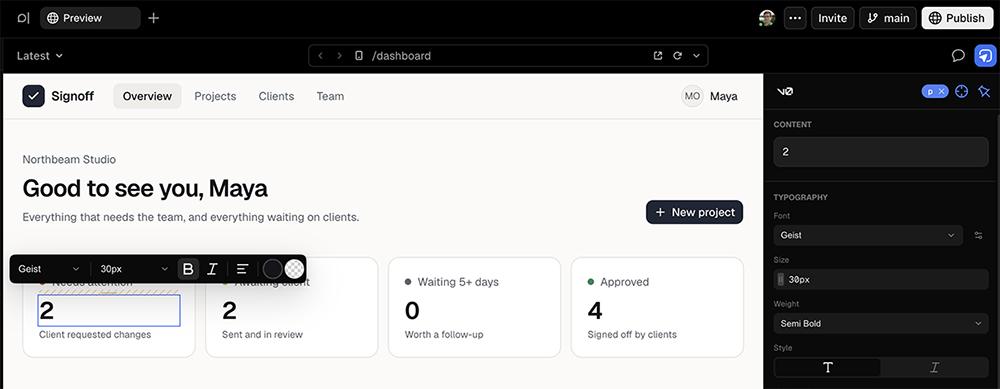
And like many of the tools I tested, v0 didn’t automatically build in separate flows to onboard staff and clients. But it resolved problems and helped me get the app working without unnecessary back and forth.
Is v0 a good choice for you?
Consider v0 if you want a more technical tool and if your team already uses Vercel and you want to stay in the ecosystem.
Look elsewhere if you need an app that quickly spins up iterations and that has the built-in tools you need.
Base44: Best for native mobile app development
Base44 is one of the few app builders that develops both web apps and mobile apps. But the app it built for me wasn’t functional without multiple rounds of edits, which burned through credits quickly.
Base44 at a glance
| Build time | 4:30 |
|---|---|
| Total credits used | 12 |
| Code export or sync | GitHub sync and code export |
| Business tools | Payments, transactional email, and custom domain purchases (marketing email via integrations) |
| Starting price | $20/month (Starter plan) |
| Free plan | Yes (25 credit monthly limit) |
Building with Base44: Hands-on review
At first glance, the client approval portal app that Base44 built looked a lot like the other tools’ test apps. It appeared to have the basic elements I’d asked for, although it lacked sidebar navigation that would have made the app easier to use.
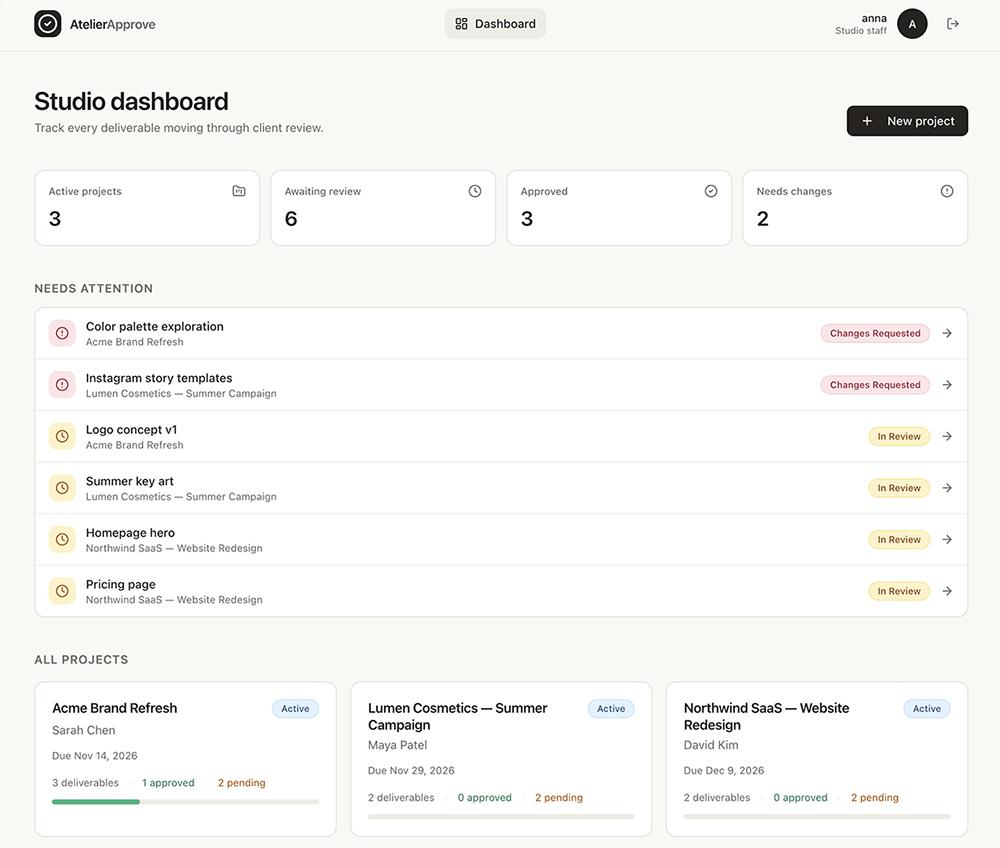
But there were a few logical gaps that made the app unusable. Base44 automatically gave both staff members and clients the same capabilities, so I was able to add new deliverables while logged in as a client. This took two rounds of edits to resolve.
And Base44 failed to give either user type a way to action on any of the deliverables. It took two separate edit requests to add feedback functionality and to create approval and edit request buttons.
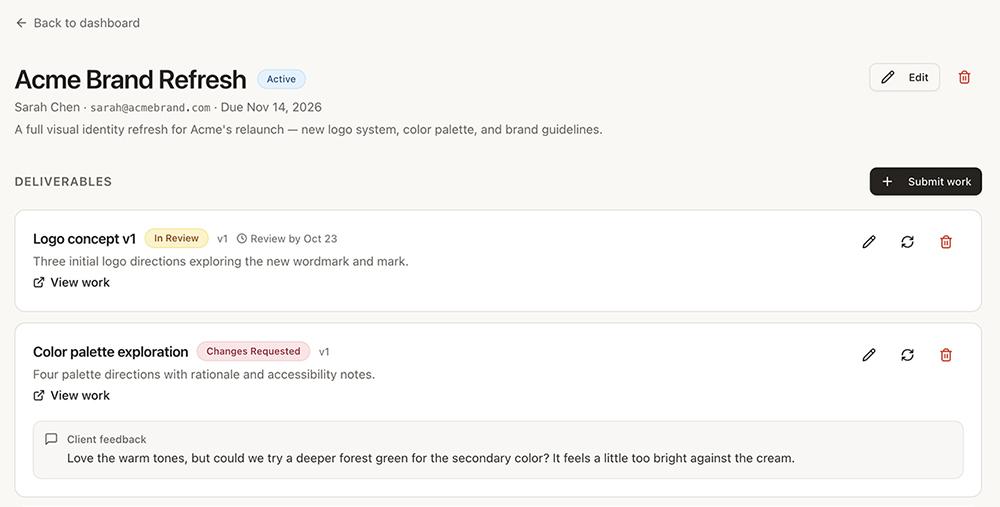
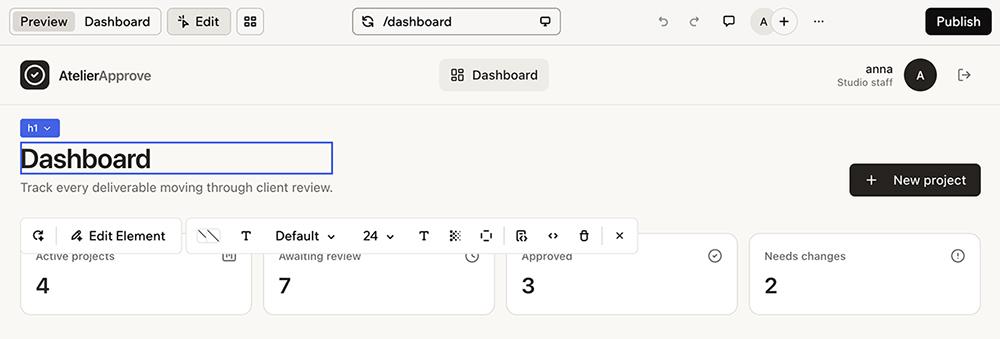
At least Base44 allowed manual edits. I was able to quickly edit the dashboard copy myself to avoid wasting more credits.
On the plus side, Base44 is set up to help you create apps for your business. It lets you buy custom domains directly from Wix (which owns Base44) and it has a built-in flow to submit mobile apps to the App Store and Google Play.
Is Base44 a good choice for you?
Consider Base44 if you need to build a mobile app or if you want built-in business tools. It’s one of the few AI tools that has this native functionality.
Look elsewhere if you want a no-code app that doesn’t require you to double-check every fix. Errors required multiple prompts to resolve.
Bubble: Best for builders familiar with no-code and low-code tools
As a full-stack visual development platform, Bubble is more advanced than a typical vibe-coding app. While it’s designed for both beginners and technical users, I found it to be one of the most difficult to use.
Bubble at a glance
| Build time | 4:30 |
|---|---|
| Total credits used | 49 workload units |
| Code export or sync | Not supported |
| Business tools | Transactional email (payments and marketing email via plugins) |
| Starting price | $32/month |
| Free plan | Yes (50,000 workload units per month) |
Building with Bubble: Hands-on review
Bubble is one of the only apps I tested that gave me a complete list of features to review before it began building. It also provided scenarios so I could make sure the app would work as expected.
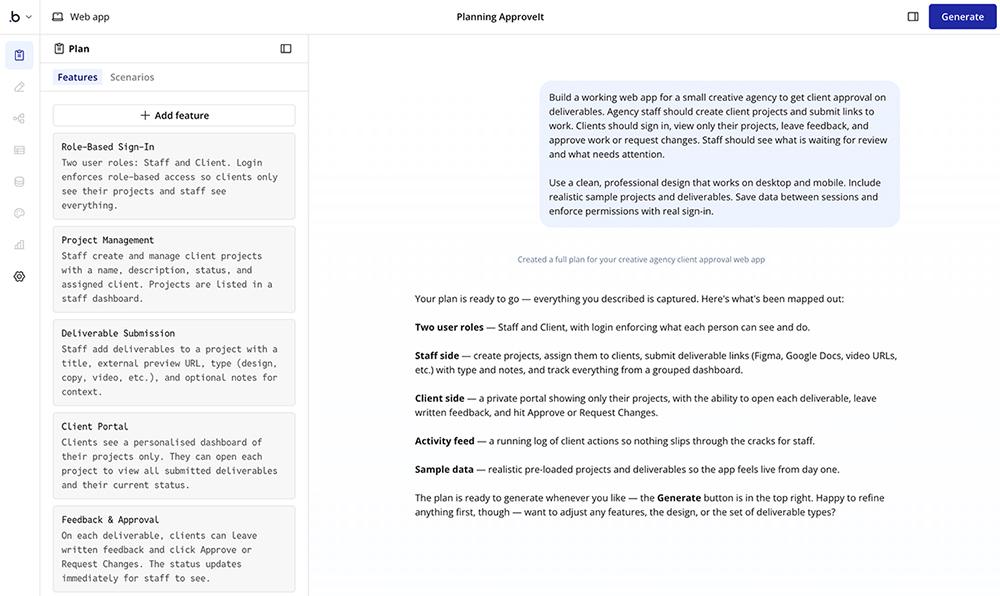
After I approved the plan, Bubble worked relatively quickly, generating a v1 of my app in four and a half minutes. The design was much simpler than the others I reviewed, with minimal colors beyond black and white.
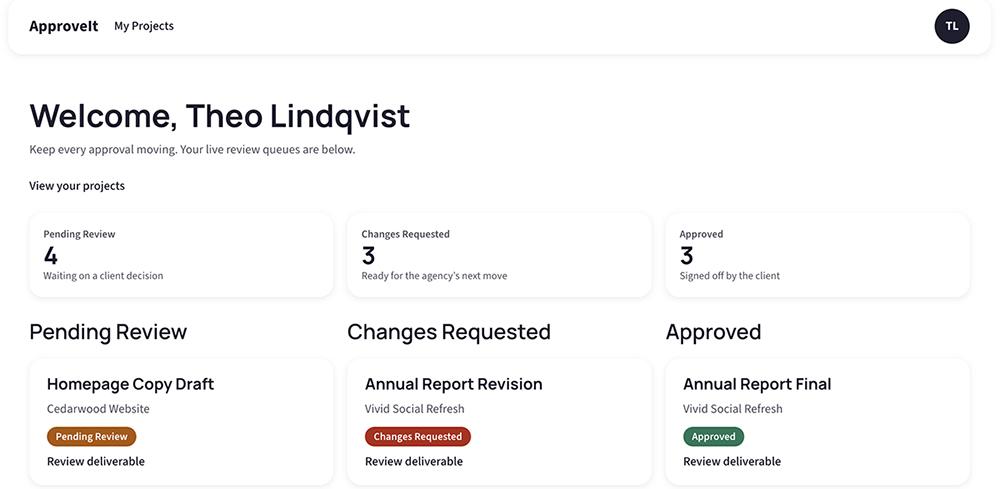
It easily made simple edits like adding a due date to deliverables. But more complex edits required a ton of troubleshooting.
Like some other no-code builders I tested, Bubble didn’t proactively create a way for me to add agency staff users. The solutions it suggested didn’t seem well thought out, and each one created a new problem that was time-consuming to resolve.
Bubble does support manual edits to the design, copy, and workflows. So if you know exactly what needs to change, you might have better luck developing a functional app.
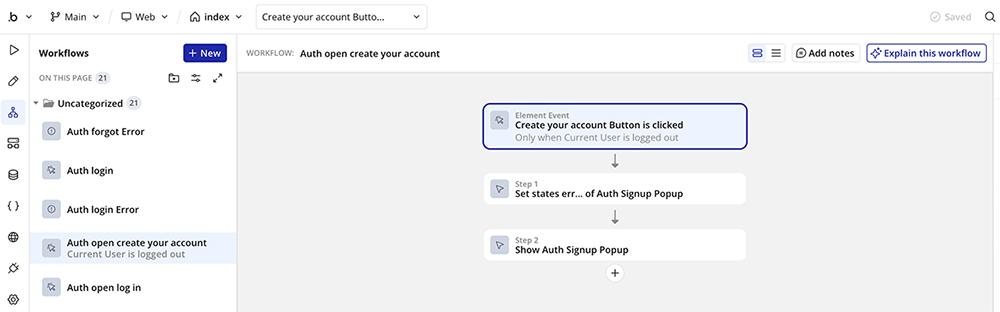
Otherwise, you might end up like I did, spinning my wheels as I tried to prompt the agent. At least Bubble was one of the most affordable app builders to use, as the edits consumed very few of my workload units.
Is Bubble a good choice for you?
Consider Bubble if you have a technical background and the time to update workflows by hand. It’s also an option if you need to design a mobile app.
Look elsewhere if you want to own your app’s code. Bubble doesn’t generate exportable code, so your app stays on the platform.
ChatGPT Sites: Best for teams already in the OpenAI ecosystem
ChatGPT Sites builds apps right inside ChatGPT using your AI model of choice. It’s a decent option for internal apps if your team is already invested in the OpenAI ecosystem. But it’s less ideal if you want to invite external users or create an app you can market.
ChatGPT Sites at a glance
| Build time | 7:30 |
|---|---|
| Total credits used | Not provided (included in plan usage) |
| Code export or sync | Zip file export on demand |
| Business tools | Email via plugins |
| Starting price | $20/month (Plus plan) |
| Free plan | No (requires a paid ChatGPT plan) |
Building with ChatGPT Sites: Hands-on review
With ChatGPT Sites, the building process was smooth. Seven minutes and 30 seconds after I entered my prompt, the tool showed me a preview of my app and gave me clear steps to sign in and start testing.
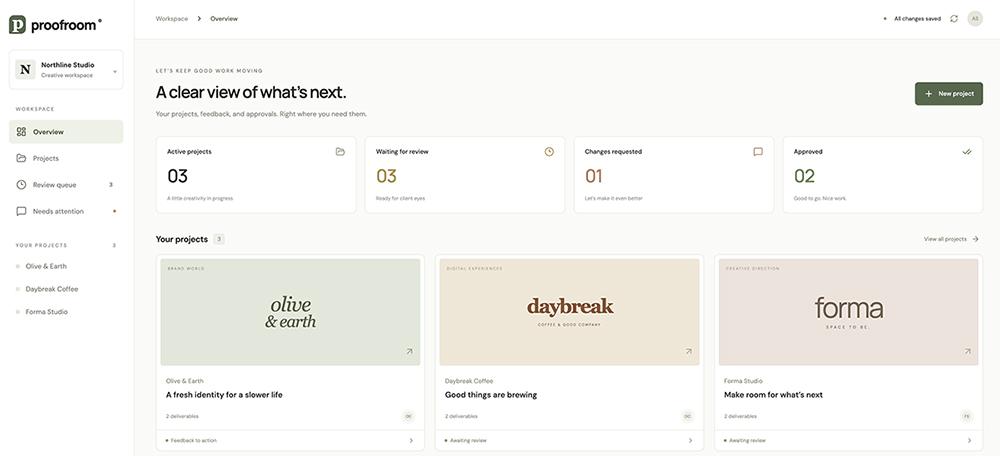
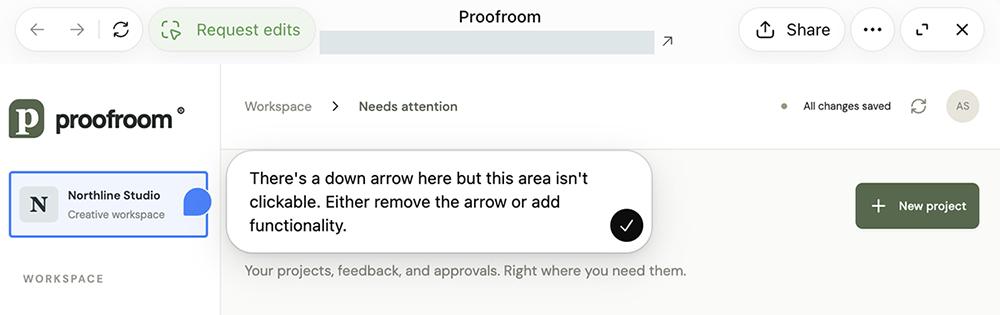
Editing was also incredibly easy. You can either chat with ChatGPT and prompt it to make changes or click on-screen elements and add annotations for more targeted edits.
Other than the tiny font, the app looked fine and worked well from an agency perspective.
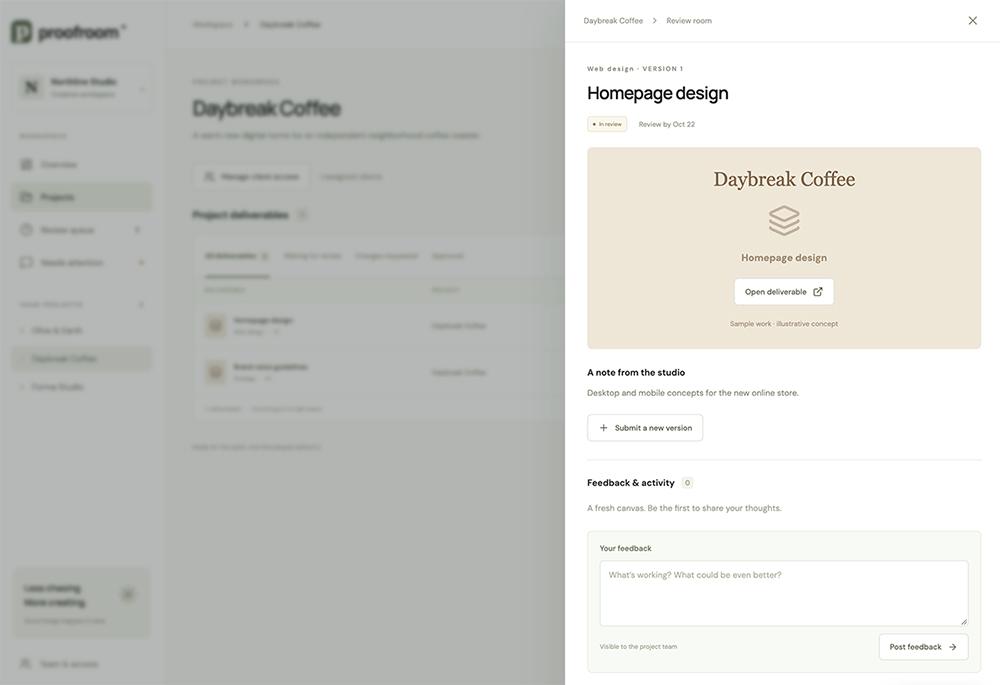
But onboarding other users proved problematic. ChatGPT Sites has no native way to set up a dedicated app login. The default workflow is for the admin to manually add approved users, who then have to log in via ChatGPT. This creates a ton of friction for the admin and for users.
The AI app builder recommended enabling a separate app login experience by adding the Supabase app or by choosing another authentication provider. This created a lot of friction for me as the builder.
ChatGPT Sites doesn’t offer native email or payment options to communicate with or charge app users. And while you can theoretically ask ChatGPT to give you a zip export of your app, there’s no built-in option to view your app’s code or sync with GitHub.
Is ChatGPT Sites a good choice for you?
Consider ChatGPT Sites if your team already builds with ChatGPT and you want an inexpensive way to create internal apps.
Look elsewhere if you need to manage a lot of users or if you’re planning to turn your app into a business with paid subscribers.
Get started building your app
If you’re a non-technical founder who wants a working app quickly, try Lovable. Designers will likely prefer Replit, while developers should look at Bolt or v0.
And if you’re a business owner building an app for customers, Spark gives you accounts, payments, email, analytics, and marketing plans out of the box. That way you don’t have to worry about connecting to a dozen different tools to get your business up and running.
Try Spark free and get started with $15 in build credits, or start from a business template.
Frequently asked questions about AI app builders
What is an AI app builder?
An AI app builder is a tool that creates a working app from a written prompt. You describe what you want, and the tool generates the screens, database, and user logins. Then you can refine the app by sending more prompts or editing it manually.
Can I build an app with no coding experience?
Yes. Every tool on this list can build an app from a prompt. But some, like Bolt and Bubble, are easier to use if you can troubleshoot code or workflows yourself. Our guide to starting a business with AI walks through the steps.
Why not just use ChatGPT or Claude to build an app?
Chatbots like ChatGPT and Claude can write the code for an app, but you typically have to host it and set up the database and user logins yourself. AI app builders handle those steps for you and give you a live app you can share.
How much does it really cost to build an app?
Paid plans for the tools I tested start at $20 to $32 per month, and most have a free plan with limited usage. In addition, most charge for usage, which can cost anywhere from $4 to $15 for a simple app.