

Comparisons
Best Replit Alternatives for Non-Technical Founders: 7 Tools Tested
Best Replit alternatives for non-technical founders, tested. Compare Lovable, Base44, Spark, Adalo, and more on ease of use, editing, and price.

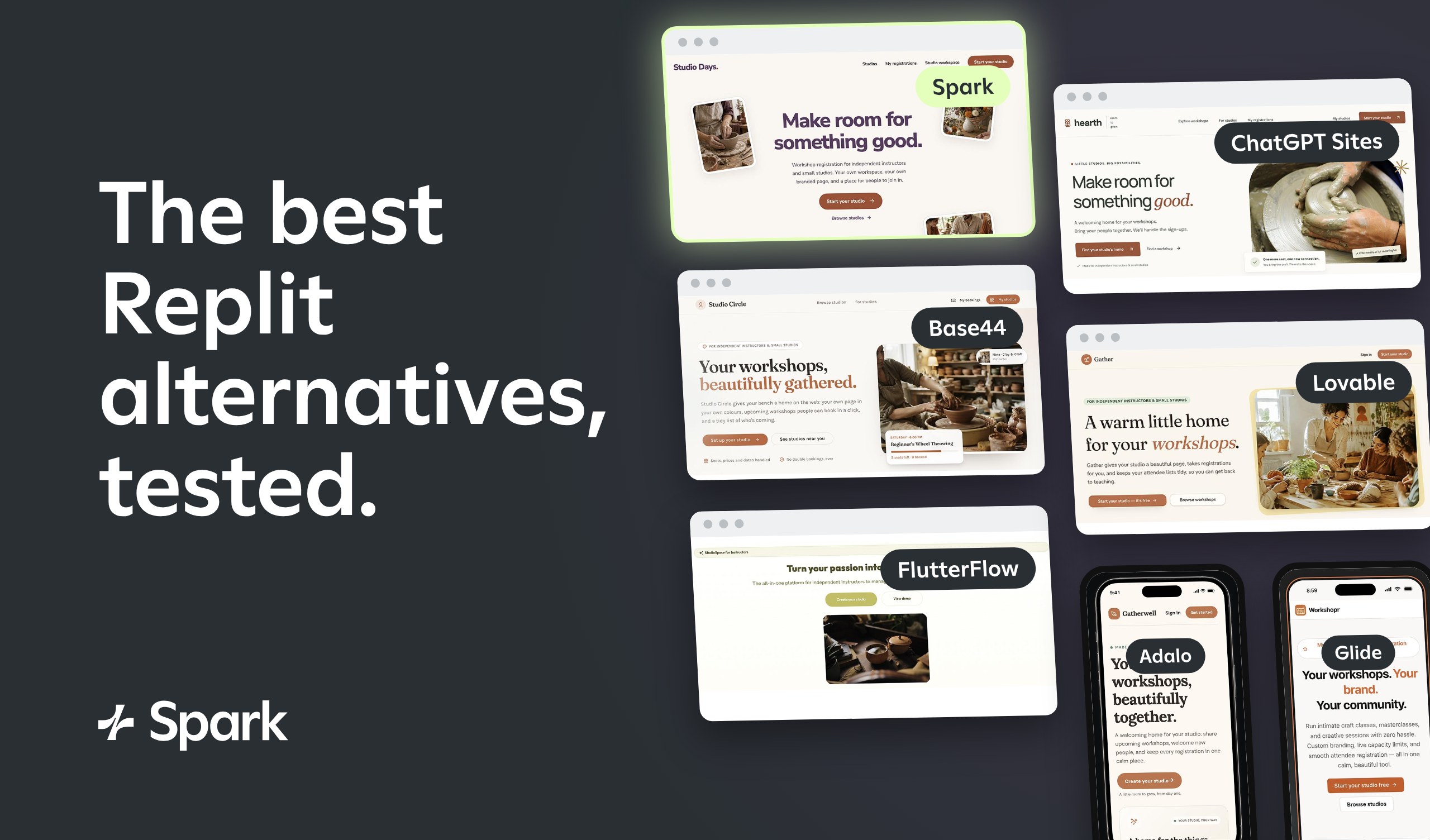
Replit is a powerful tool for building apps. But if you’re a founder who doesn’t code, you can end up spending more time learning the tool than growing your business.
Many founders start on Replit because its AI agent can turn an idea into a working app, complete with hosting and databases. But they often run into trouble when waiting on long builds, watching error messages scroll by, or being prompted to handle technical steps themselves.
I tested seven Replit alternatives to find tools that work better for non-technical founders. I’ll walk you through how each one handled the build, how much technical know-how it required, and when sticking with Replit might make more sense.
What are the best alternatives to Replit for non-technical founders?
Here are the seven Replit alternatives I tested, including what each one is best for, which editing workflows it supports, and what it costs to get started.
| Tool | Best for | Editing options | Starting price |
|---|---|---|---|
| Spark | Building a business around your app | AI agent | $25/month |
| ChatGPT Sites | Quick apps if you already use ChatGPT | AI agent | $20/month |
| Base44 | Launching web and mobile apps | AI agent, visual editor, code editor | $20/month |
| Lovable | First-time app builders | AI agent, visual editor, code editor | $25/month |
| FlutterFlow | Building apps visually with templates | AI agent, visual editor, code editor | $39/month |
| Adalo | Developing mobile apps without code | AI agent, visual editor, code editor | $65/month |
| Glide | Turning business data into apps | AI agent | $25/month |
Why founders tend to switch from Replit
Replit is an integrated development environment (IDE) with a user-friendly AI agent that makes it approachable for founders. But across multiple tests, I found that it was harder to use than it needed to be for someone without a technical background.
Long, stressful builds
In my tests, Replit’s first versions took 7.5 minutes, 11.5 minutes, and 16 minutes, getting slower as the apps got more complex. This time adds up when you’re testing an idea, since every round of changes means more waiting.
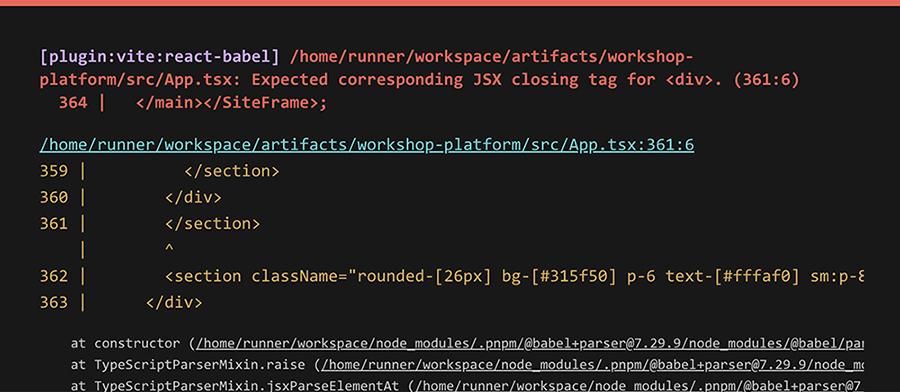
Plus, the longest build was the most stressful. While I waited, error messages full of code kept flashing on the screen. I never had to act on them, but they’re hard to understand for someone who doesn’t code.
Steps that assume technical knowledge
Replit sometimes expects you to be more comfortable navigating the app’s backend than you really are. In one test, it asked me to go into the app’s database and delete the demo accounts myself.
For a non-technical founder, that’s a nerve-wracking request. I eventually fixed the issue by prompting the agent, but I didn’t feel confident in the result.
First drafts that need design work
Replit has robust design tools, but its first drafts don’t always reflect them. For example, one of my test app prompts asked for a warm, approachable design with room for photos. Replit used the warm colors I requested, but the app had almost no images and little personality. And at least one of its color combinations failed accessibility guidelines.
You can fix these issues with Replit’s design tools. But I found them a little complicated to use, at least at the beginning.
Costs that are hard to predict
Replit made it easy to see what I spent while building. But it’s not as easy to predict what you’ll spend after launch.
Since Replit charges for deployments based on usage, costs can climb as more people use your app. That makes it tough to budget.
How we tested Replit alternatives
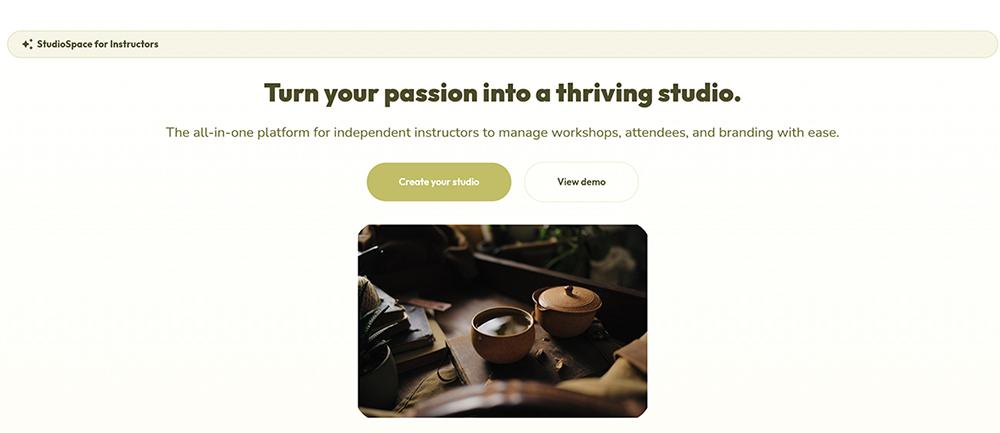
I gave all seven tools the same prompt to build a workshop registration platform for independent instructors and small studios. Each studio needed to be able to sign up, set up its own workspace, and get a branded public page where visitors could browse upcoming workshops.
Visitors needed to sign in to register and to view or cancel their registrations across studios. The app also had to enforce capacity limits, prevent duplicate registrations, and include a landing page and a short onboarding flow for new studios.
Since this article is for founders who don’t code, I paid extra attention to the editing process. Could I get a working app without needing to code or fix frontend or backend bugs?
7 Replit alternatives for founders who don’t code
While the list isn’t ranked, Spark appears first since it’s our product. But it doesn’t get special treatment, as I put every tool through the same test.
Spark: Best for building a business around your app
Spark is an AI app builder designed for founders who want to launch a business. Along with deploying your app, Spark includes marketing emails, storefronts, and a marketing plan to help you find your first customers. With Replit, you get the tools to build an app — but the business side is largely up to you.
Spark at a glance
| Build time for v1 | 10:00 |
|---|---|
| Total credits used | $7.80 |
| App types | Web apps for desktop and mobile |
| Editing options | AI agent |
| Business tools | Native payments, custom domains, storefronts, marketing emails, and marketing plans |
| Starting price | Free tier, paid plans start at $25/month |
Testing Spark as a non-technical founder
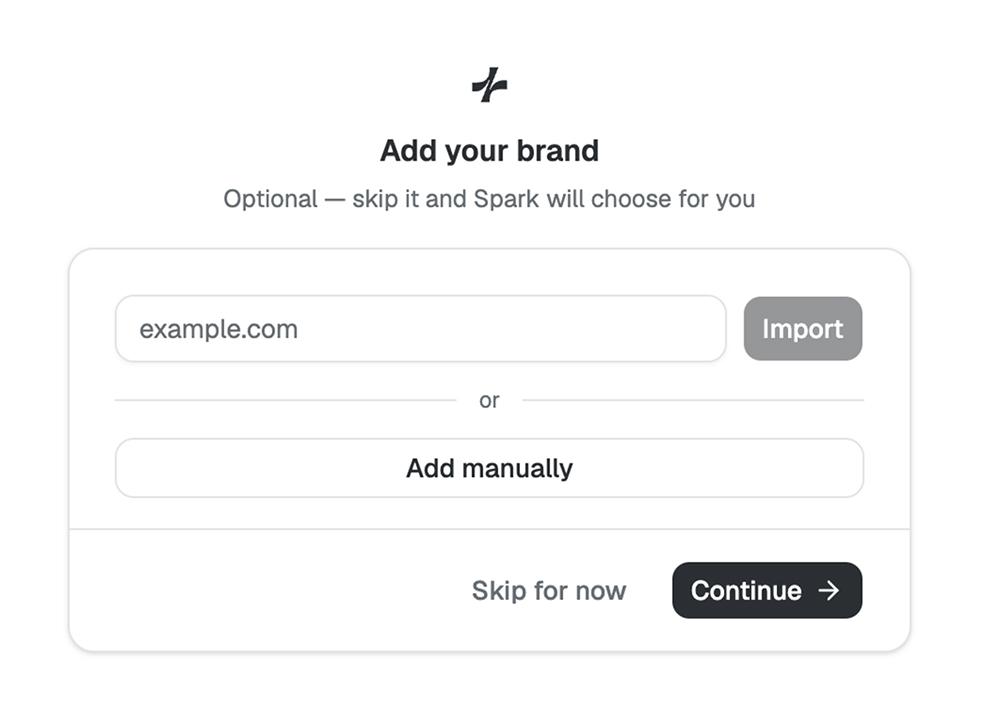
Spark took a couple of helpful steps before it started building my app. First, it prompted me to share my branding so it could apply the fonts and colors to my app design. Then, it showed me a list of features and capabilities it was planning to build. From there, I could review and make any necessary changes.
After building the v1, Spark gave me a rundown of what it generated, including choices it made that I might want to change. For instance, it mentioned that it hadn’t incorporated time zones (something no other tool brought up) and it called out a potential accessibility issue that resulted from my preferred color scheme. I prompted it to fix both issues.
I also noticed that the demo studios were missing photos. Although that didn’t affect the app’s functionality, I knew the demo would look better with more images. So, I prompted the agent to generate relevant photos. After each update, Spark confirmed what it had changed and how I could view it.
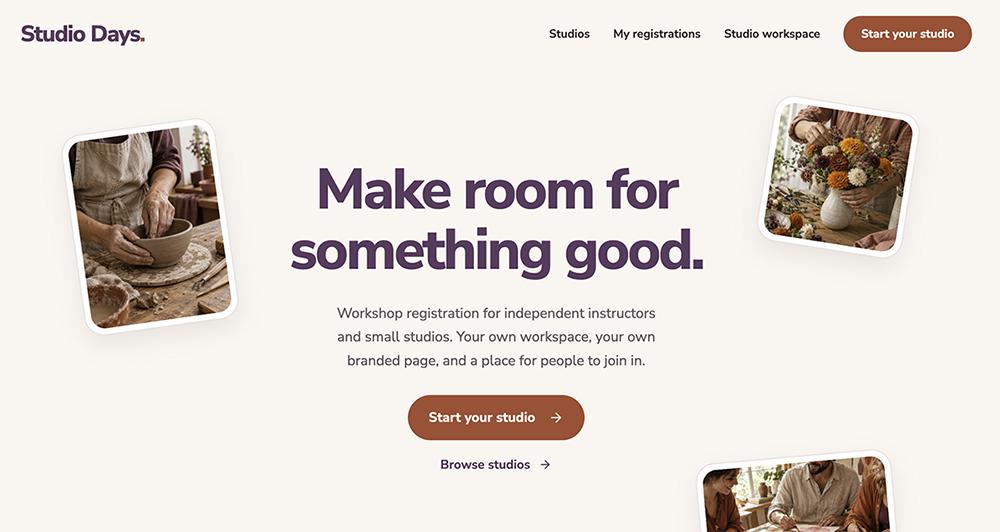
Spark doesn’t have a visual or code editor, so all changes go through the agent. Unlike some of the other apps I’ve tested, it reliably makes updates or fixes errors on the first try, without needing multiple prompts.
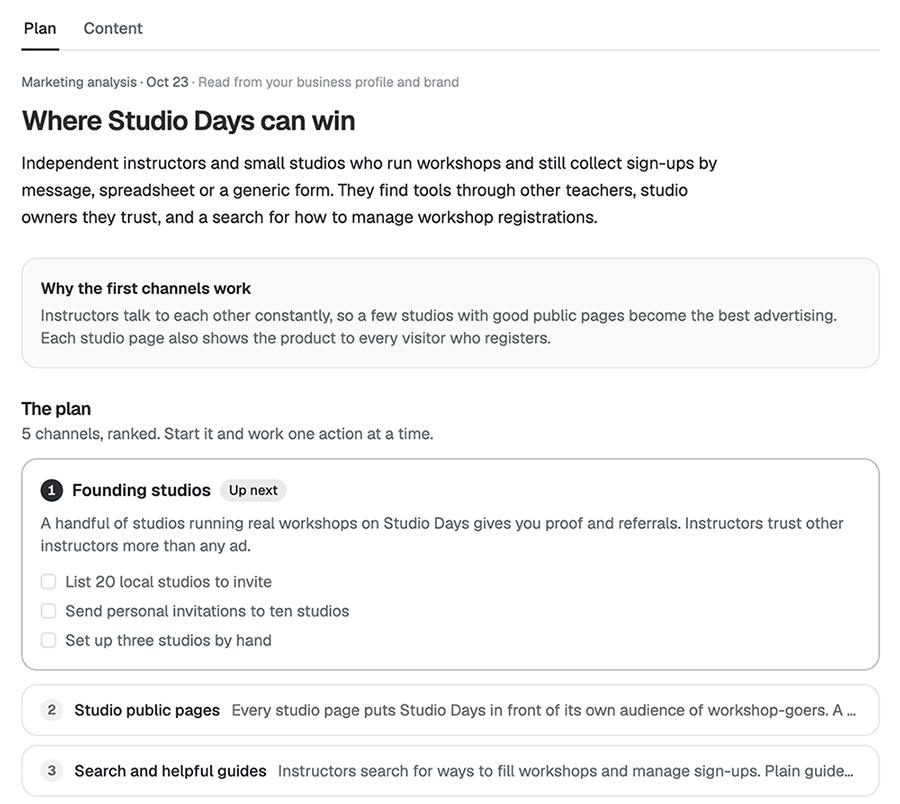
To help me start attracting customers and growing a business around my app, Spark also generated a marketing plan. The five-step plan was helpful for finding my first customers, creating relevant content for users, and setting up an Instagram account for social media promotion.
ChatGPT Sites: Best for quick apps if you already use ChatGPT
ChatGPT Sites is OpenAI’s app builder. It works directly in the ChatGPT interface, publishing interactive websites and lightweight apps. If you already pay for ChatGPT, it’s an easy Replit alternative to try, since there’s no new tool to learn or subscription to add.
ChatGPT Sites at a glance
| Build time for v1 | 7:00 |
|---|---|
| Total credits used | Not measured (included in your ChatGPT usage) |
| App types | Web apps for desktop and mobile |
| Editing options | AI agent |
| Business tools | Email via plugins |
| Starting price | $20/month |
Testing ChatGPT Sites as a non-technical founder
ChatGPT Sites generated the first version of my app in seven minutes, less than half the time Replit took for the same task. The v1 wasn’t error-free, though. Some of the AI-generated images weren’t displaying correctly, which was an easy fix.
The agent also quickly applied a more complex edit I requested. I asked it to filter workshops by category and date, making the app easier for visitors to use. ChatGPT Sites doesn’t have a visual editor or a code editor, so all changes are prompt-based. For more specific edits, you can click on on-screen elements and describe the change you want.
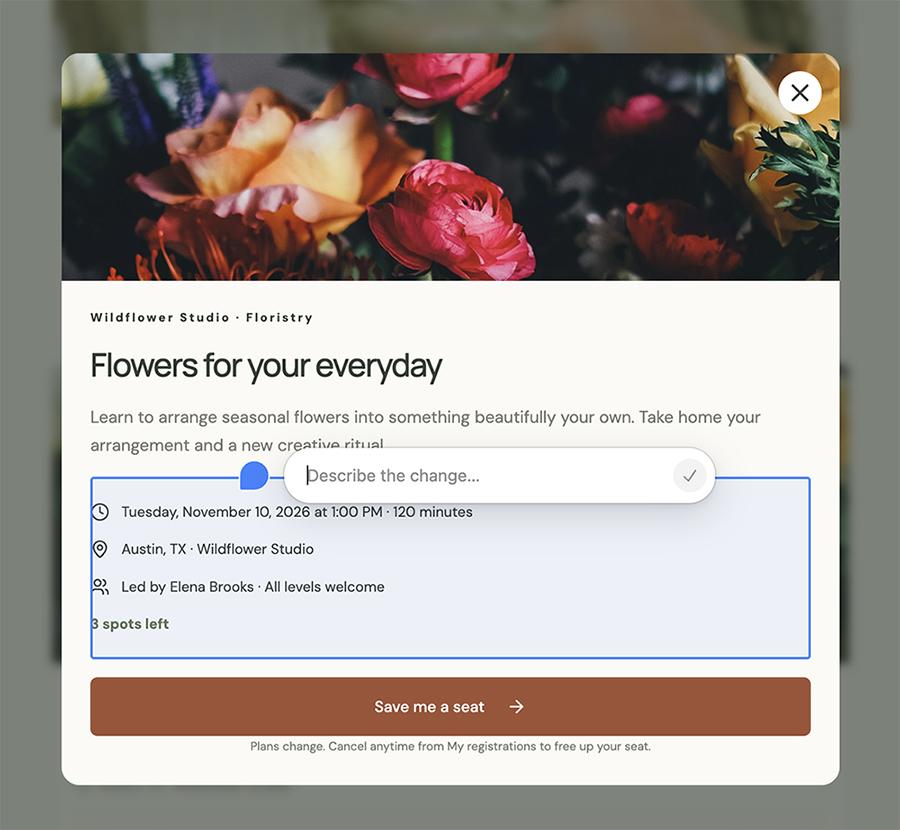
Although the app worked fine and looked decent, it’s worth noting that ChatGPT Sites doesn’t appear to have much design variety. Most apps I’ve built with the tool look similar, and all have similar issues with fonts so small they’re almost unreadable.
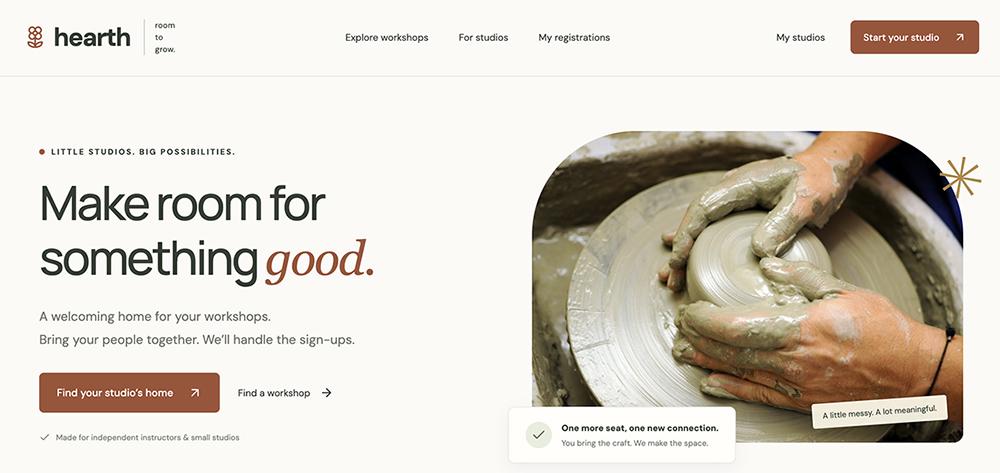
This is one area where Replit comes out ahead. Its design tools give you much more control over how your app looks and feels. But if you just need a working app without wading through code or settings, ChatGPT Sites gets you there with less effort.
Base44: Best for launching web and mobile apps
Base44 is an all-in-one low-code platform for both desktop and mobile apps. Since it’s owned by Wix, it has native tools for custom domains and payments, along with essential capabilities like databases and hosting. For founders who would rather not cobble together multiple disconnected tools, it’s an easy switch from Replit.
Base44 at a glance
| Build time for v1 | 9:00 |
|---|---|
| Total credits used | 10.05 credits |
| App types | Web and mobile apps |
| Editing options | Visual editor, code editor, AI agent |
| Business tools | Native payments and custom domains, marketing tools via integrations |
| Starting price | Free tier, paid plans start at $20/month for 100 message credits |
Testing Base44 as a non-technical founder
Base44’s first iteration of my app checked all the boxes. It had all the functionality for organizers and customers that I’d asked for and incorporated the warm style that I’d requested.
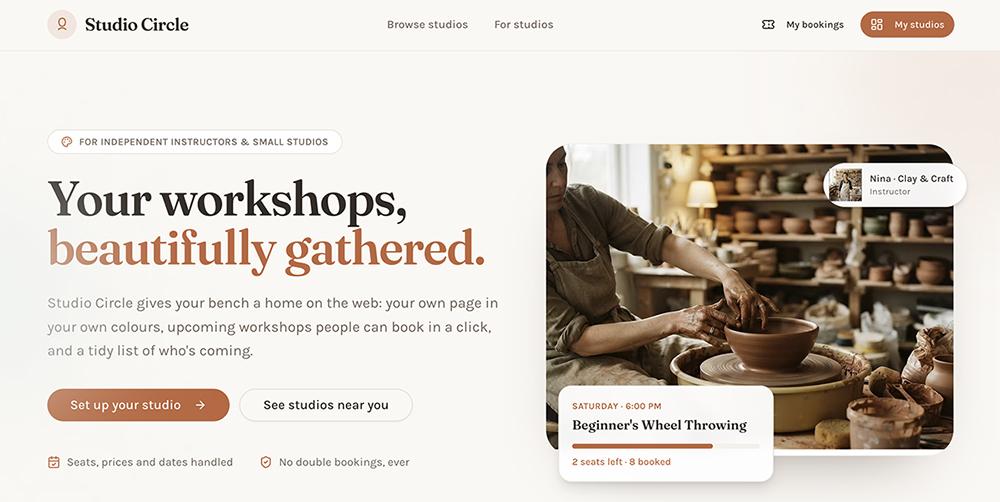
It also proactively found and fixed a handful of errors, saving me from having to manage them myself. That meant I had more time to prompt the app to make minor improvements. For example, I asked it to add a category filter for workshops. It then suggested I add a calendar view as well, which would genuinely make the app better.
Since I mainly relied on the agent for edits, I appreciated that Base44 suggested some prompts to try. For instance, it encouraged me to prompt “turn on Google login for my app.” That was a lot easier than figuring out the right technical request myself — and a far cry from Replit asking me to edit the database.
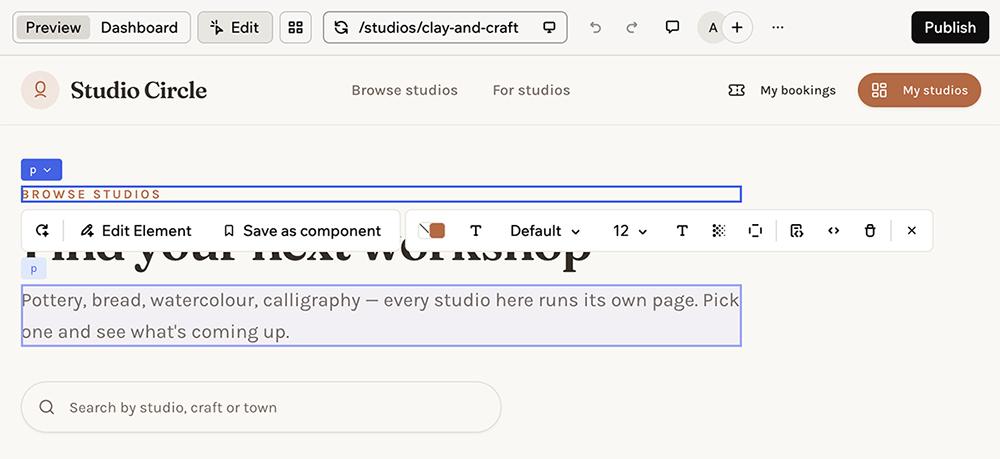
Base44’s visual editor comes in handy for minor changes. You can update copy, colors, and font sizes. For more in-depth updates, your developer team can explore the code environment and edit manually.
Lovable: Best for first-time app builders
Lovable is an AI-powered platform for building full-stack web apps and websites. It manages essentials like hosting, databases, and authentication and has a built-in payment option so you can start welcoming customers. For founders leaving Replit, Lovable offers similar capabilities without requiring you to work with code or manage technical settings.
Lovable at a glance
| Build time for v1 | 12:45 |
|---|---|
| Total credits used | 24.7 credits |
| App types | Web apps for desktop and mobile |
| Editing options | Visual editor, code editor, AI agent |
| Business tools | Native payments and custom domains, marketing tools via integrations |
| Starting price | Free tier, paid plans start at $25/month for 100 credits |
Testing Lovable as a non-technical founder
Every time I build with Lovable, the process is smooth and easy to manage, even without a technical background. This test was no different. After almost 13 minutes, it had generated a fully functional app, complete with sample data and demo logins.

While I typically use the agent for prompt-based edits, Lovable has a simple visual editor. It’s helpful for updating copy, making targeted changes to the design, and adding annotations. The tool also has a code editor, but unlike Replit, Lovable doesn’t put your code at the center of the workspace.

Lovable also gave me a list of things to keep in mind as I prepared to launch the app. Although I’d asked it to hold off on emails and payments in v1, it reminded me that we’d need to set them up eventually.
I also appreciate that Lovable consistently suggests helpful next steps. In this case, it encouraged me to set up a custom domain for my published app and to test out my app’s onboarding flow. These nudges are helpful for making sure the app works as expected and deploying it efficiently.
FlutterFlow: Best for building apps visually with templates
FlutterFlow is a visual development platform that bridges no-code and traditional development. You design your app with a combination of prompting, drag-and-drop tools, and 1000+ templates. Unlike with Replit, you never have to work directly with the AI code to build your app.
Since you can always export the code and connect to other services via API, it’s easy to hand off your app to a developer later. FlutterFlow’s AI agent works in your browser or with your existing Claude or Codex account, so non-technical founders can use the tools they’re already accustomed to.
FlutterFlow at a glance
| Build time for v1 | 2:30 |
|---|---|
| Total credits used | 10 credits |
| App types | Web, desktop, and mobile apps |
| Editing options | AI agent, visual editor, code editor |
| Business tools | Payments and in-app purchases |
| Starting price | Free tier for testing, paid plans start at $39/month for 100 credits and published apps |
Testing FlutterFlow as a non-technical founder
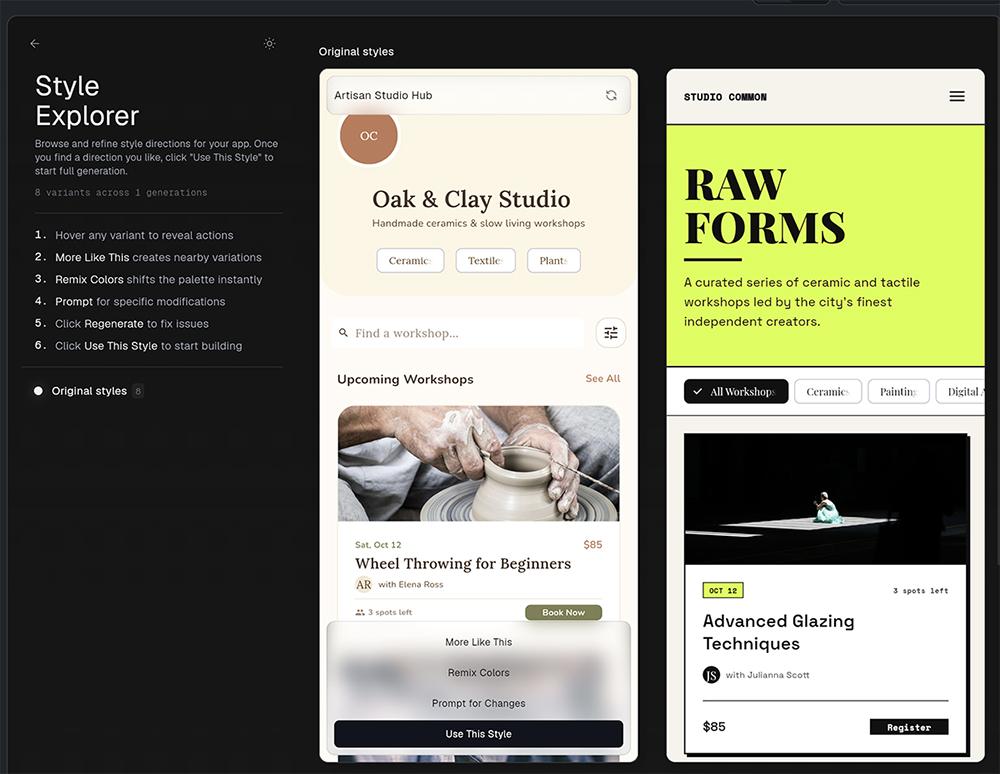
Once FlutterFlow reviews your prompt, it suggests styles tailored to your app. You have the option to choose one and build your app around it or iterate on it and remix the colors. I found this helpful for getting a workable design.
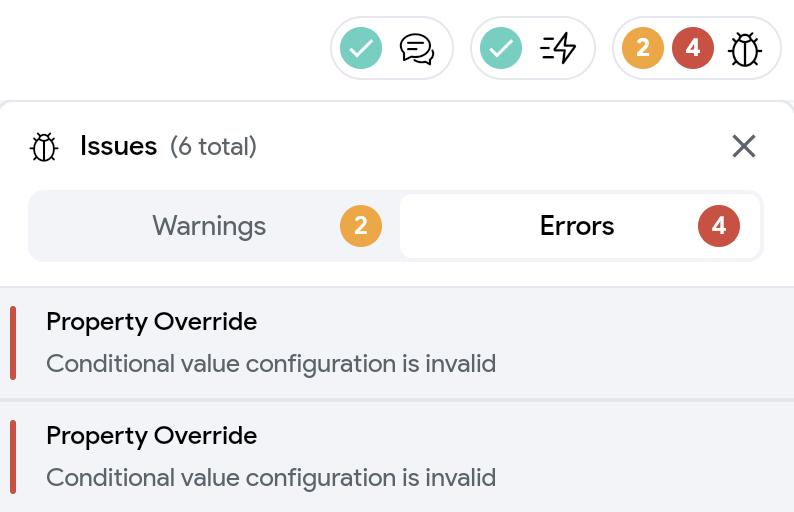
The first version of my app was ready in just two and a half minutes, a fraction of the time Replit took to build the same app (16 minutes). I also appreciated its user interface (UI) suggestions and issue tracker. FlutterFlow keeps a running list of both errors and warnings, which you can click to view and resolve, getting your app one step closer to being production-ready.
However, I ran into some roadblocks after generating the v1 of my app. In the browser, it wasn’t possible to preview an interactive version of my app. I could only scroll through the screens without fully understanding how they connected.
FlutterFlow has a suite of editing tools (including a storyboard, a widget palette, and a visual editor) available in the browser. It also has an AI agent that you can prompt to update the design, add new functionality, or fix errors.
Alternatively, you can connect your Claude, Codex, or Gemini account to FlutterFlow’s desktop app. If you already use those tools, you might prefer using them to build anyway.
Adalo: Best for developing mobile apps without code
Adalo is an AI no-code app builder that creates web, desktop, and mobile apps. It handles hosting, databases, and integrations with Stripe for payments and Google for logins. Adalo is popular with non-technical users looking to switch from Replit, since it requires no coding knowledge and supports building with both visual and prompt-based editors.
Adalo at a glance
| Build time for v1 | 12:00 |
|---|---|
| Total credits used | Not measured (no usage-based credits) |
| App types | Web, desktop, and mobile apps |
| Editing options | AI agent, visual editor, code editor |
| Business tools | Payments, in-app purchases, and emails via integrations |
| Starting price | Free tier for testing, paid plans start at $65/month for unlimited prompts and published apps |
Testing Adalo as a non-technical founder
Adalo makes it incredibly easy to preview any app you build on a mobile device. Along with letting you toggle between Android and iOS previews on your desktop, the agent automatically generates a QR code so you can open the preview on your phone.
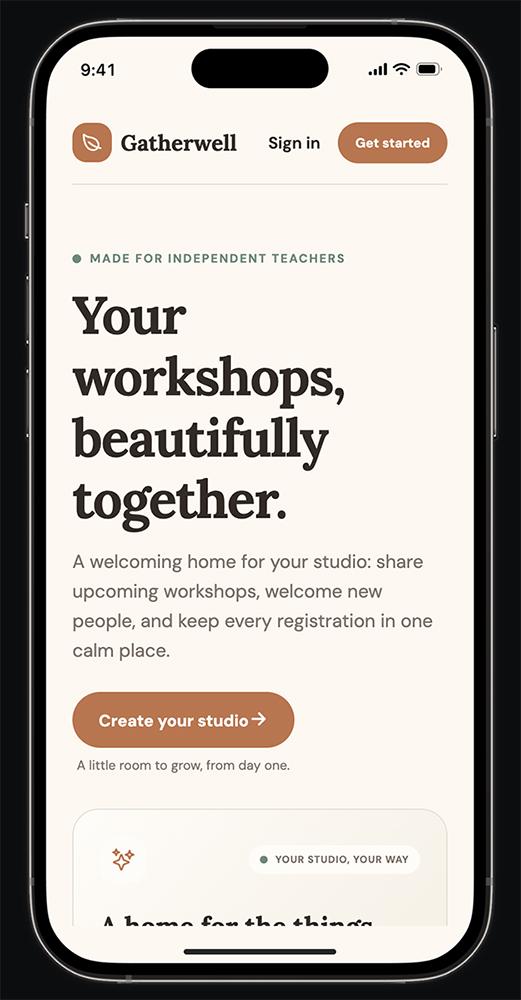
The only catch? No matter which device I previewed from, I couldn’t see more than the landing page of my app. Then, after the agent resolved that issue, I realized it hadn’t populated the app with any of the sample data I’d included in my prompt. That required another fix and made me wonder if it had ignored anything else from my initial prompt.
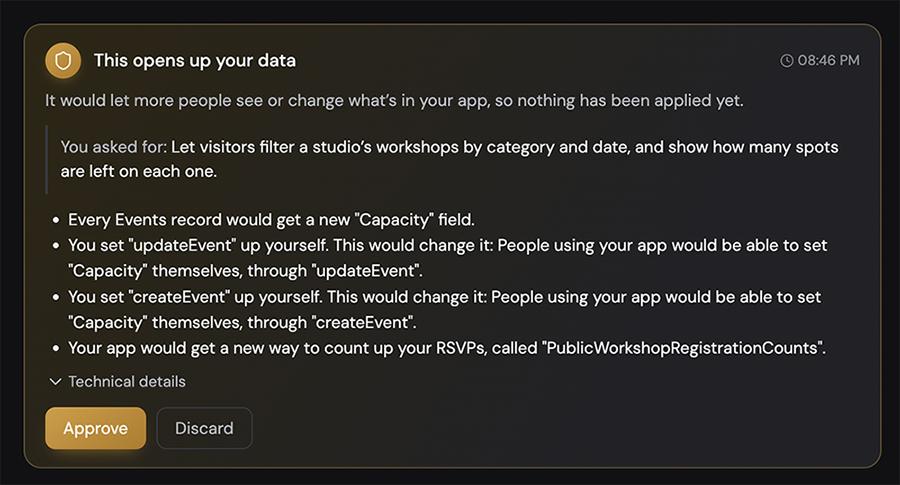
While Adalo’s agent was easy enough to work with, some of its questions were nerve-wracking for a non-technical user. For example, when I asked it to add the missing sample data, its proposed fix came with a warning that the data would be public instead of private. I didn’t know enough to judge if that was a safe choice or if it would create problems for users down the line.
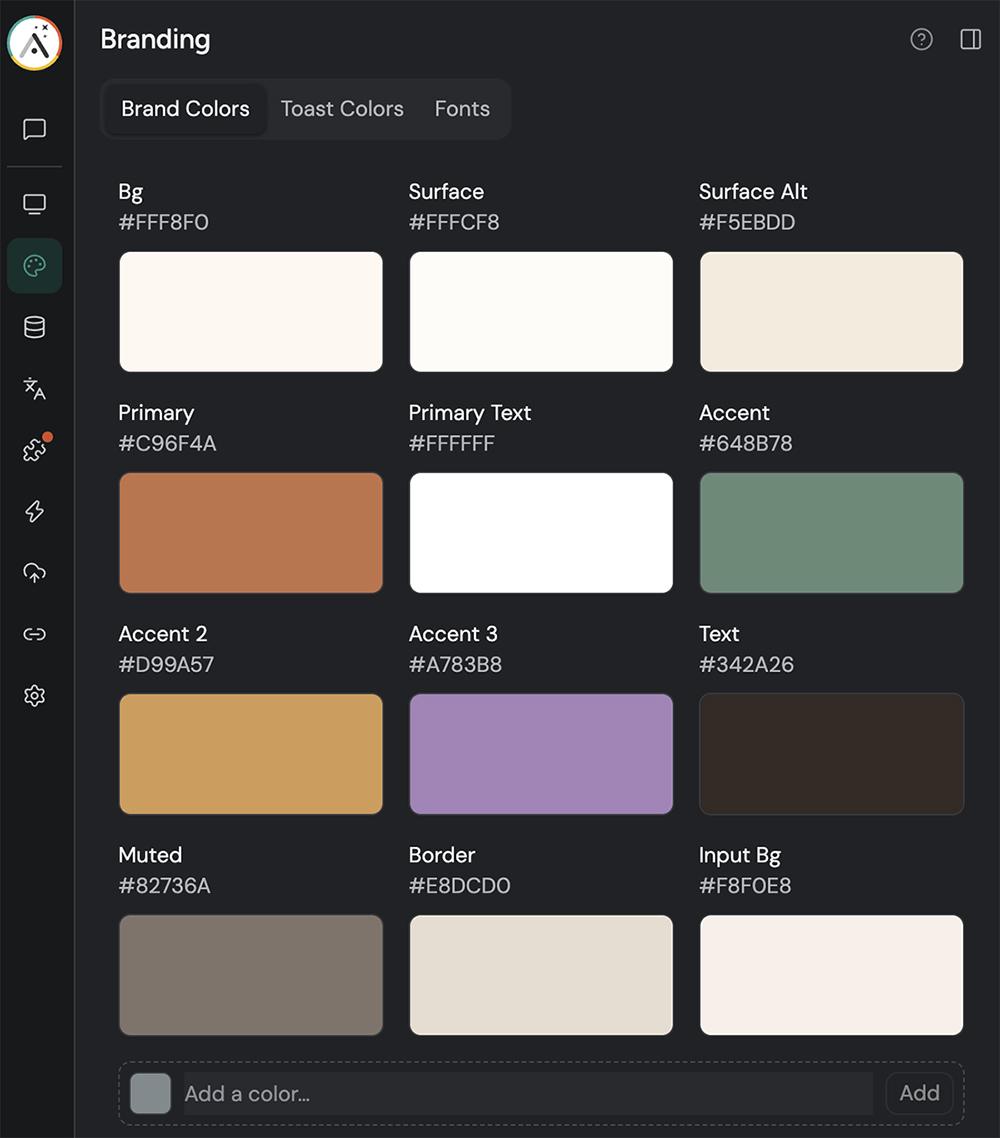
The process of customizing my app’s design was much easier. Adalo’s branding page lets you change your app’s colors and fonts in one place, no prompting required. And while you can view and edit the code, you never have to — which is a relief compared to Replit.
Compared to Replit, Adalo’s pricing is also easier to plan around. Instead of tracking AI or usage credits, your plan covers a set number of published apps and team seats. So you won’t get the usage-based surprises that you might discover with Replit.
Glide: Best for turning business data into apps
Glide is an AI app builder that develops apps and agents. It can build from a prompt or turn a spreadsheet (Google Sheets, Airtable, or Excel) into an app that works on mobile or desktop. It’s a practical Replit alternative for non-technical founders who already run their business via spreadsheets — but who want an app without messing with code.
Glide at a glance
| Build time for v1 | 20:30 |
|---|---|
| Total credits used | 149 credits |
| App types | Web apps for desktop and mobile |
| Editing options | AI agent |
| Business tools | Payments via integrations |
| Starting price | Free tier, paid plans start at $25/month for 100 credits (team apps) and $50/month for 250 credits (public apps) |
Testing Glide as a non-technical founder
Glide’s first step was promising. Within a minute, it mocked up my app and let me click through the pages to preview how it looked. Then, it offered a checklist of suggested changes to implement. I asked it to make the color scheme warmer, add a testimonials section to the homepage, and leave space for bigger instructor photos.
From there, the workflow stalled. None of the changes I’d selected appeared in the updated mockup. Glide had trouble generating a new one, so I had it proceed with building the app.
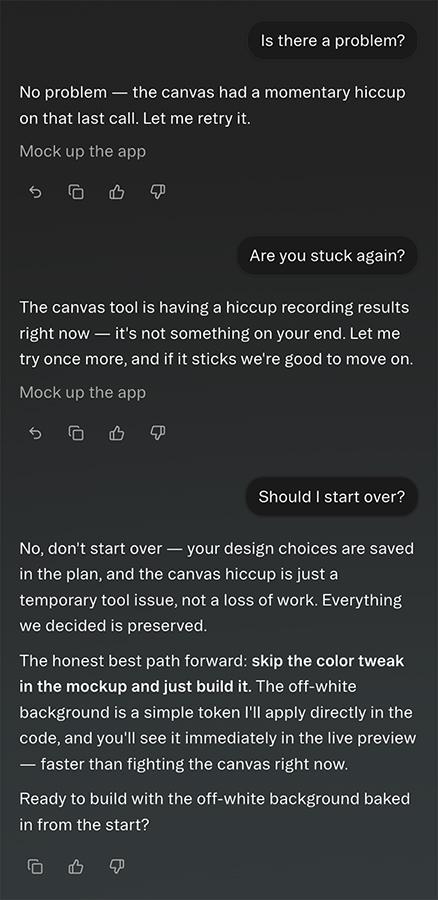
The build process took nearly 20 minutes, even longer than Replit’s lengthy AI coding sessions. And once I could preview the app, it was clear that the color scheme update hadn’t gone through.
Other details took multiple tries to fix, too. For example, Glide didn’t name the app at first. It needed separate prompts to create a name, generate a logo, and display them on all devices.
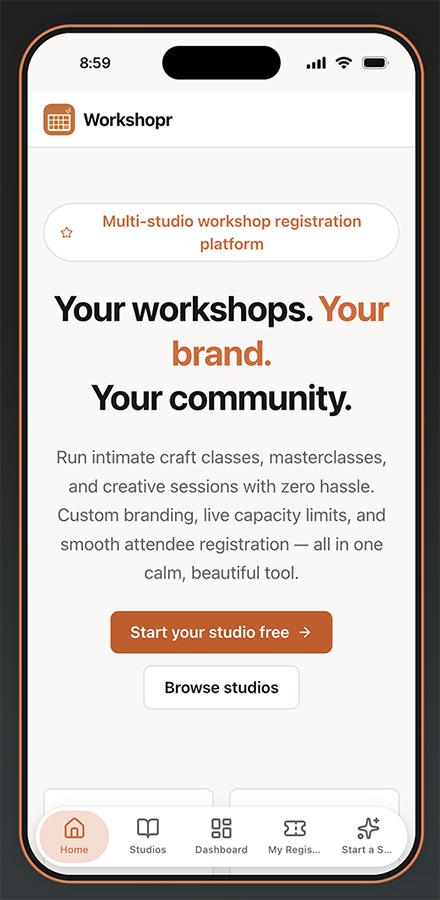
Even though the edits I requested were relatively minor, Glide churned through AI credits quickly. It used more than my entire monthly allocation (100 credits) before I had a chance to finalize the app.
Also considered
Bubble is a visual app builder with a lot of power under the hood, but it has a steep learning curve. In my testing, complex changes took a lot of troubleshooting, which is a tough fit for founders who don’t code.
v0 is Vercel’s AI coding agent, built with developers in mind. In my testing, it repeatedly asked me to take advanced steps like connecting a database or generating a secret key, which can be confusing if you rely on visual and AI agent editing.
Before you switch from Replit
Replit isn’t the wrong choice for everyone. If you plan to learn programming languages or hire a developer down the line, its cloud IDE gives you plenty of room to grow. The same features that make it intimidating for non-technical founders make it powerful for technical teams.
If you do decide to switch, plan to rebuild rather than transfer your app. In most cases, the fastest route is to describe your app to the new tool with a prompt similar to your original one, then export your data from Replit and add it to the new app. You’ll also need to reconnect your custom domain and confirm that existing users can still sign in.
It’s also worth mapping out how much your tool of choice will cost. Check how it allocates credits so you don’t spend more than you expect or end up with an unsustainable app.
Start building without code
If you’re ready to move past Replit, Spark keeps the focus on running your business. With Spark, you can set up storefronts, payments, marketing emails, and customer accounts, so you can start promoting your app as soon as it’s live.
Try Spark free with $15 in build credits.
Frequently asked questions about Replit alternatives
What is the best alternative to Replit for non-technical founders?
The best app like Replit depends on what you want to build. Spark is a good fit if you plan to run a business with your app, Lovable if you want a reliable tool that keeps code out of view, and Base44 if you want native payments. Glide works well if your business already runs on spreadsheets, and FlutterFlow and Adalo are worth a look for mobile apps.
Can I build an app without any coding experience?
Yes, all seven tools on this list let you build an app without writing code. You can either describe what you want with natural language or use a visual editor. Some may still ask you to complete an occasional technical step, so it helps to choose one that handles hosting and setup for you.
Can I move my Replit project to another tool?
Sometimes. You can export your Replit code or sync it to GitHub to hand off to a developer. But many no-code tools can’t import that code. In most cases, the easiest path is to rebuild your app in the new tool with a similar prompt and move your data over separately.