

Driveway Detail Co.
A mobile detailing business template. Customers pick a time, pay a deposit, and pay the rest when the job is done.
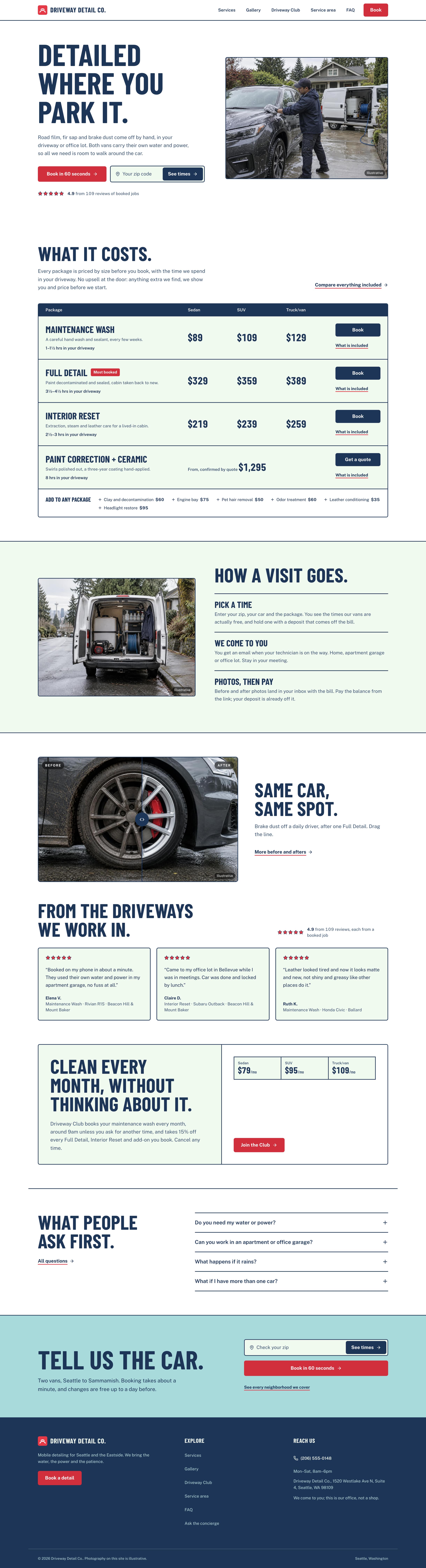

Make this your business
Tools to run the business
The template includes internal tools for scheduling, jobs, customers and pricing.
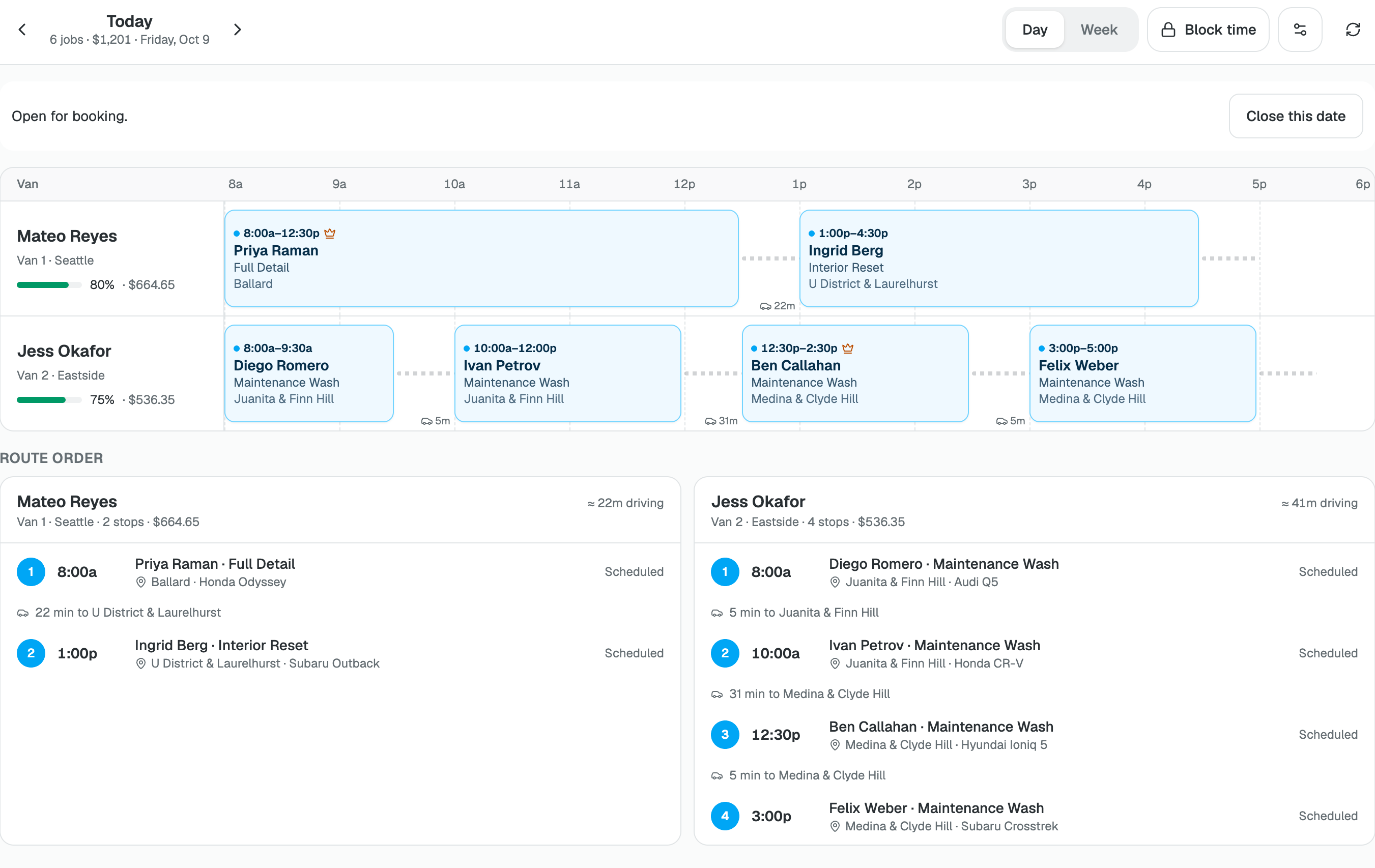
Schedule
See every van's day, block time, and move or cancel a job.
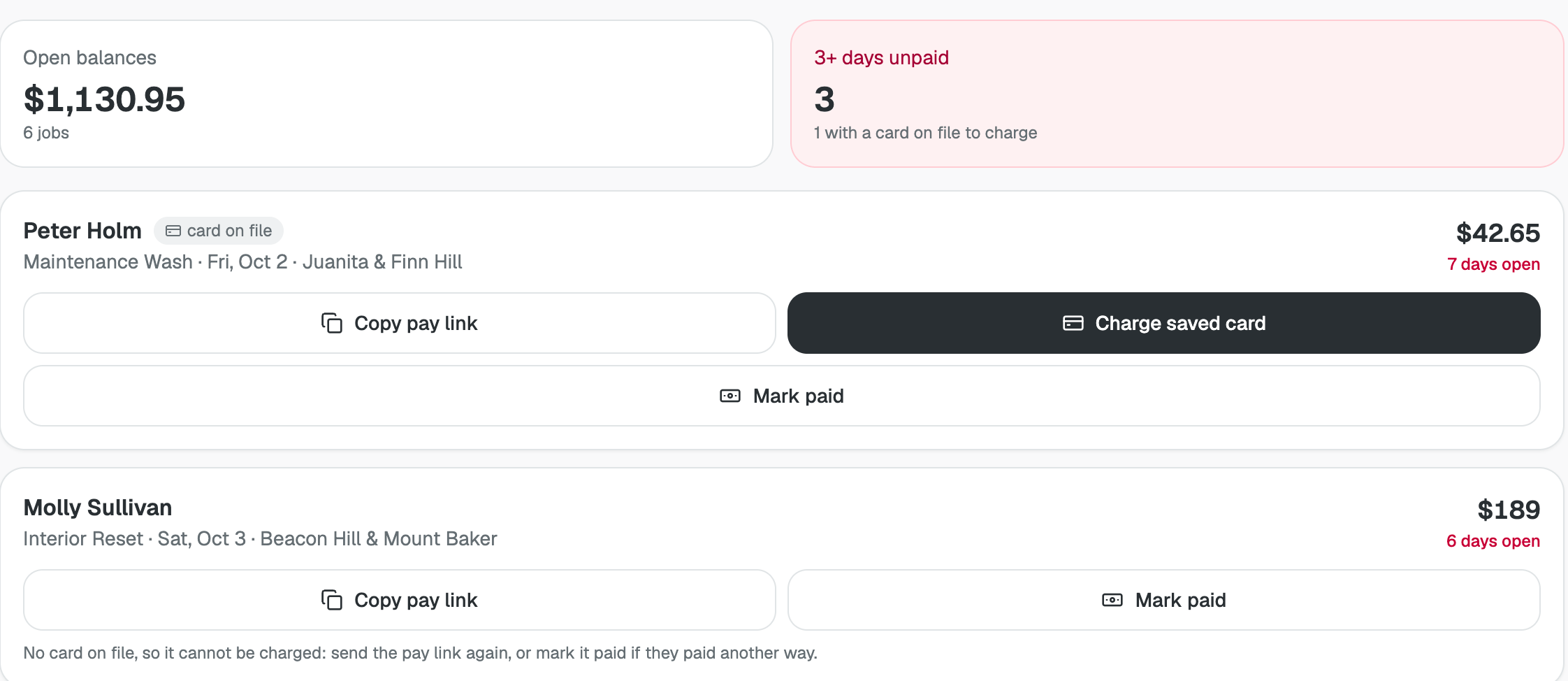
Jobs
Send pay links, charge saved cards and track refunds owed.
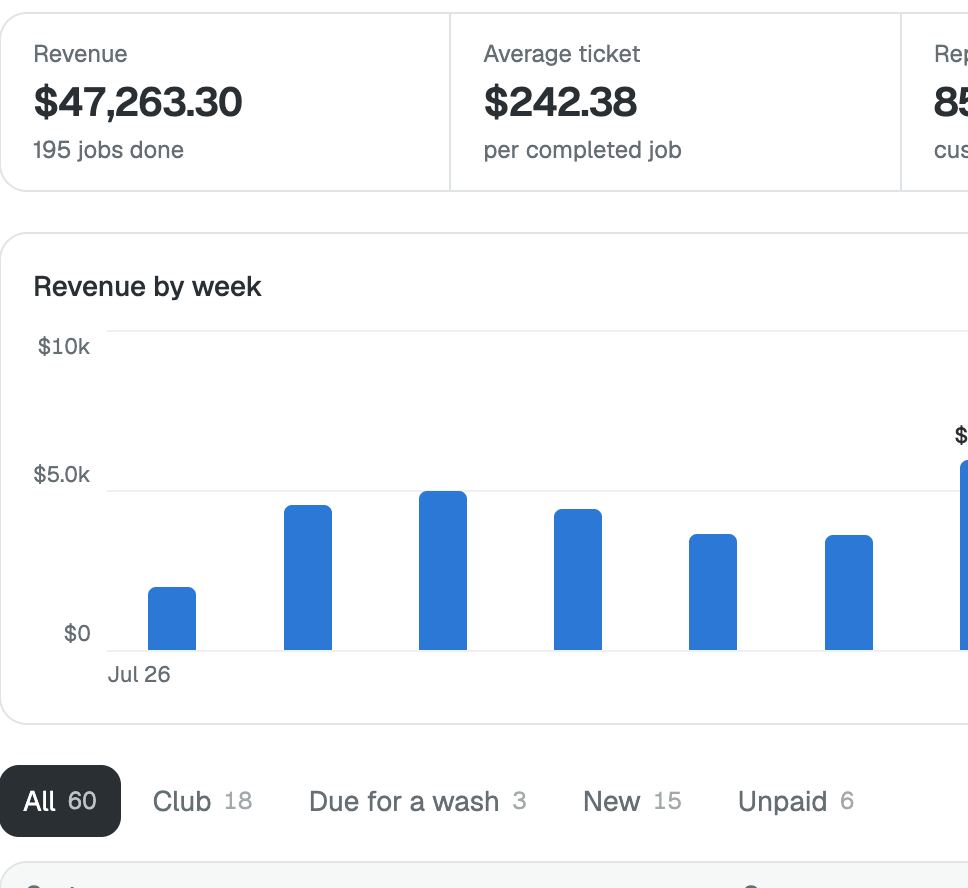
Customers
Track revenue, repeat customers and Club members, with every customer's record.
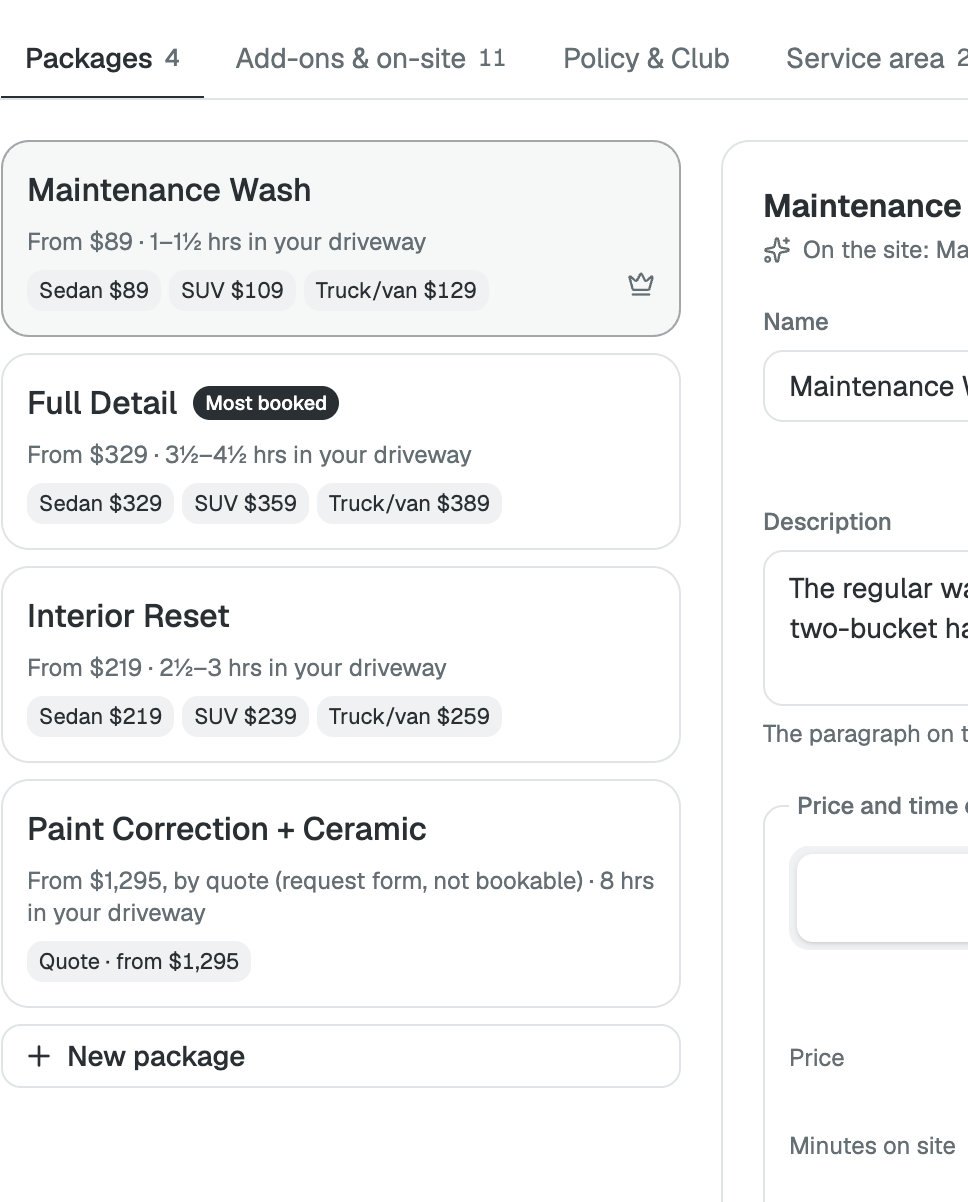
Services & pricing
Set packages, add-ons, the policy and the zips you serve.
Your first customer
Here's what a customer sees when they book a detail.
-
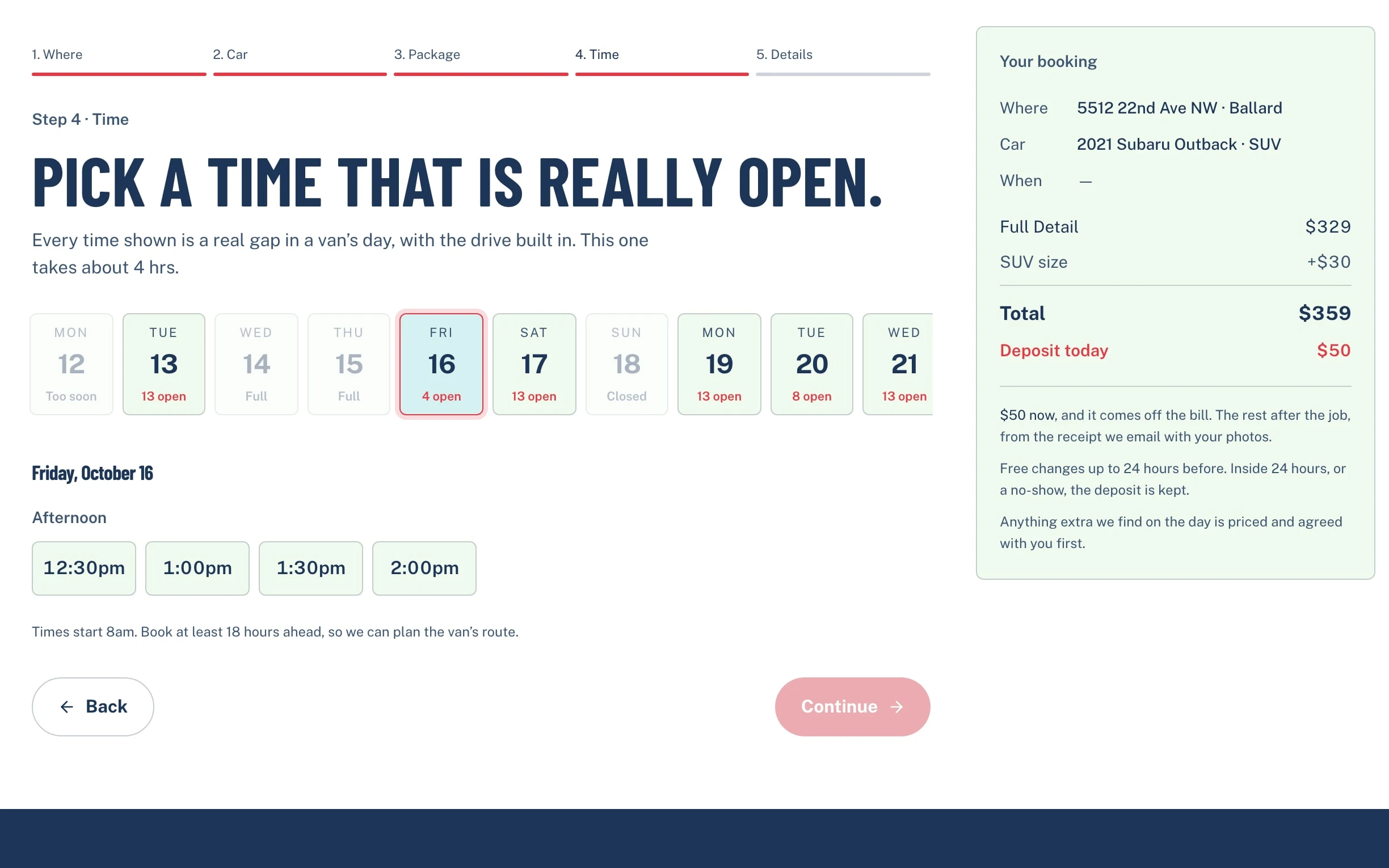
Pick a time
They enter their zip and see open times.
-
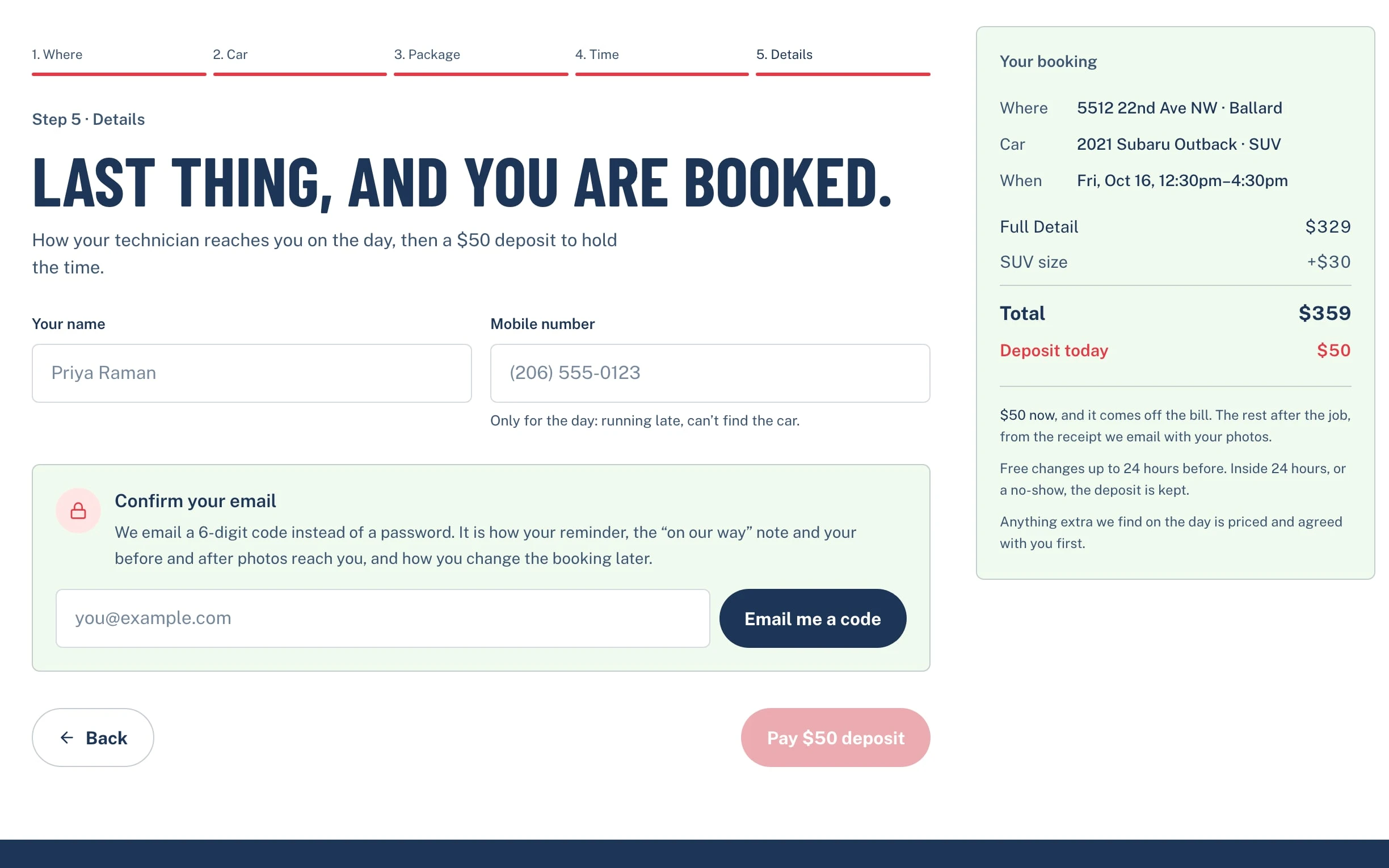
Pay a deposit
$50 now, taken off the final bill.
-
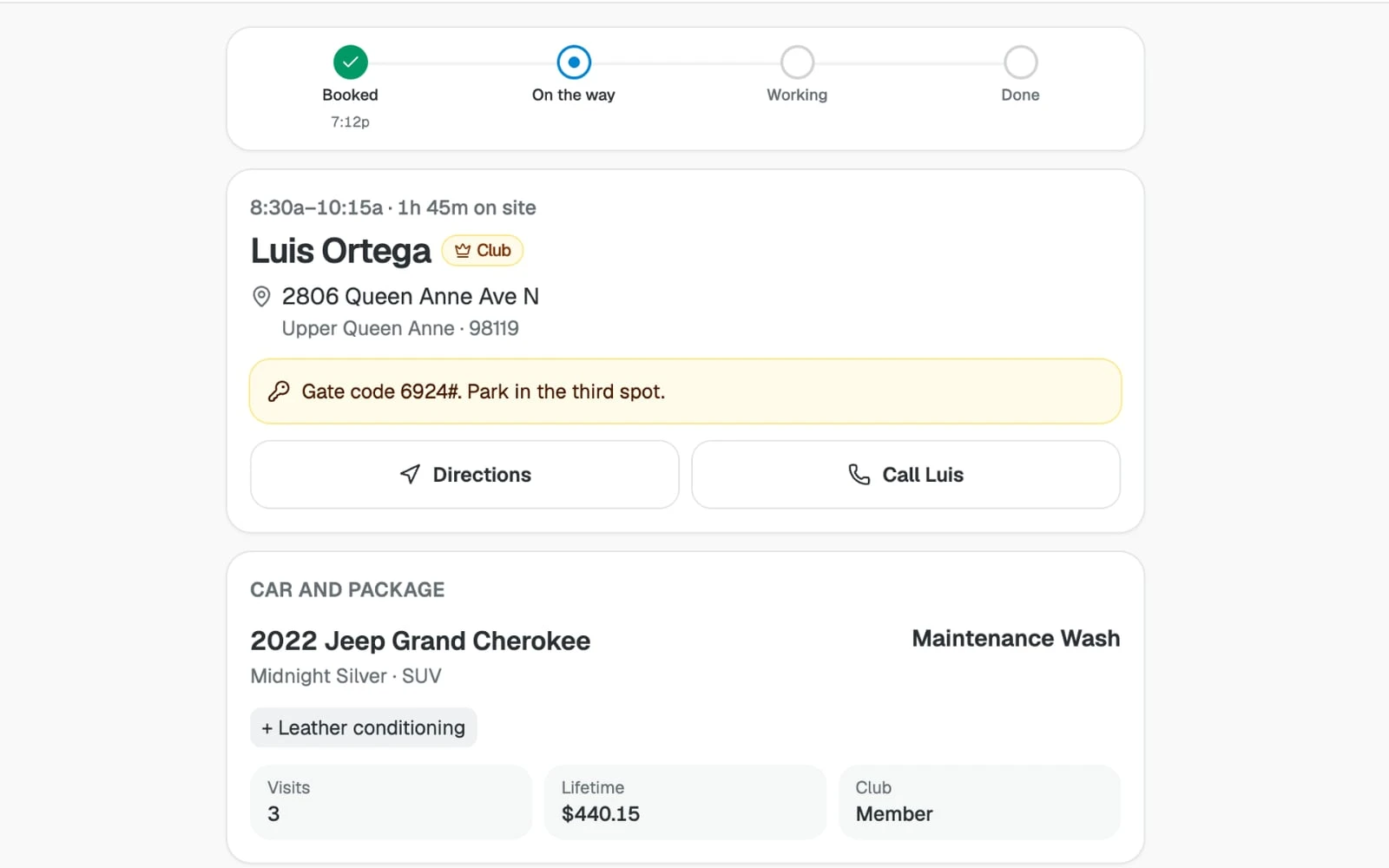
You do the job
The job card has the address, gate code and checklist.
-
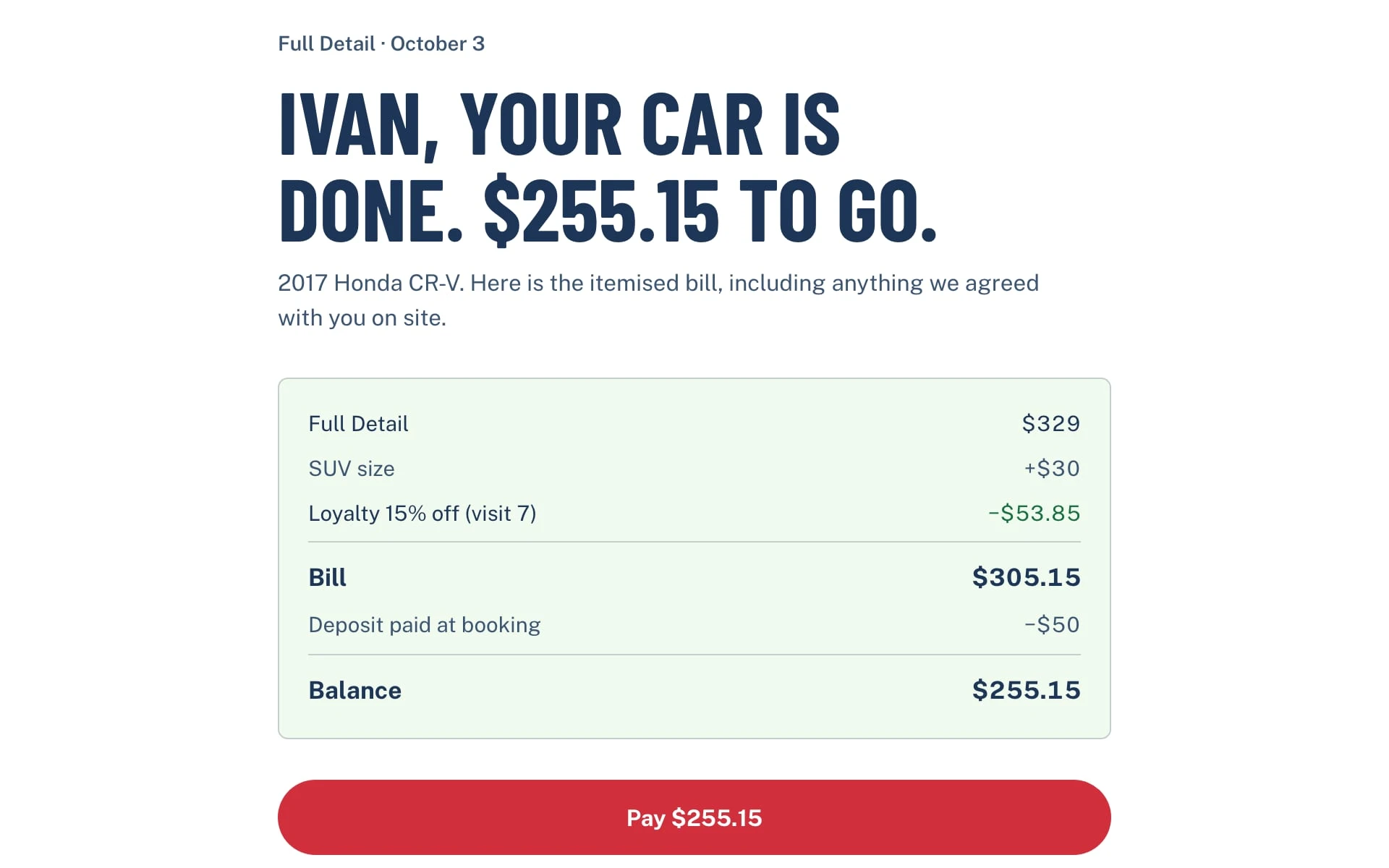
Get paid
They pay the rest from a link in their email.
Ask Spark for changes
Your template comes with the Spark agent. Ask for changes, and Spark will update your project.
-
Make this my detailing business in Austin, with my name, my two vans and my zip codes.
-
Change the deposit to $75 and the Maintenance Wash to $99 for a sedan.
-
Add a ceramic coating package that needs a quote before booking.
-
Text me when a booking comes in for tomorrow.
-
Saturdays fill up first. Want me to add a $20 weekend fee?
-
Customers who get a Full Detail rarely come back. Should I email them a Club offer a month later?
What you don't have to pay for
These are usually separate subscriptions that someone has to connect. Spark includes them in one plan.
What you'd pay for separately
- Website builder and hosting
Separately: $39/mo - Online booking with deposits
Separately: $29/mo - Job scheduling, invoicing and pay links One user
Separately: $49/mo - Paid memberships For Driveway Club
Separately: $29/mo - An AI chat trained on your content
Separately: $40/mo - A freelance developer to connect it all 10 hours a month at $30 an hour
Separately: $300/mo
Total Separately: $486/mo
With Spark Start for free
Each price is a typical small-business plan, billed monthly. Card fees apply either way.
Common questions
What does it cost?
Nothing to start, and you can publish on Spark's free plan at a spark.site address. Taking payments and using your own domain need a paid plan, from $25 a month. See pricing.
Does it take payments?
Yes, on a paid Spark plan once you connect Stripe. Customers pay a deposit when they book and the balance from a link after the job.
Who refunds a customer's deposit?
You do. The tool records each refund owed in Jobs and emails you. You refund it in Payments, press Mark refunded, and the customer is told.
Do my customers need an account?
They sign in with an emailed code to book, and pay the balance as guests from the link.
Do I get the original's customers or domain?
No, those stay with the original business, and you choose your own address.
Do I need to know how to code?
No. Ask for changes in plain words.
Who can I ask before starting?
Email support@spark.site and we'll answer.
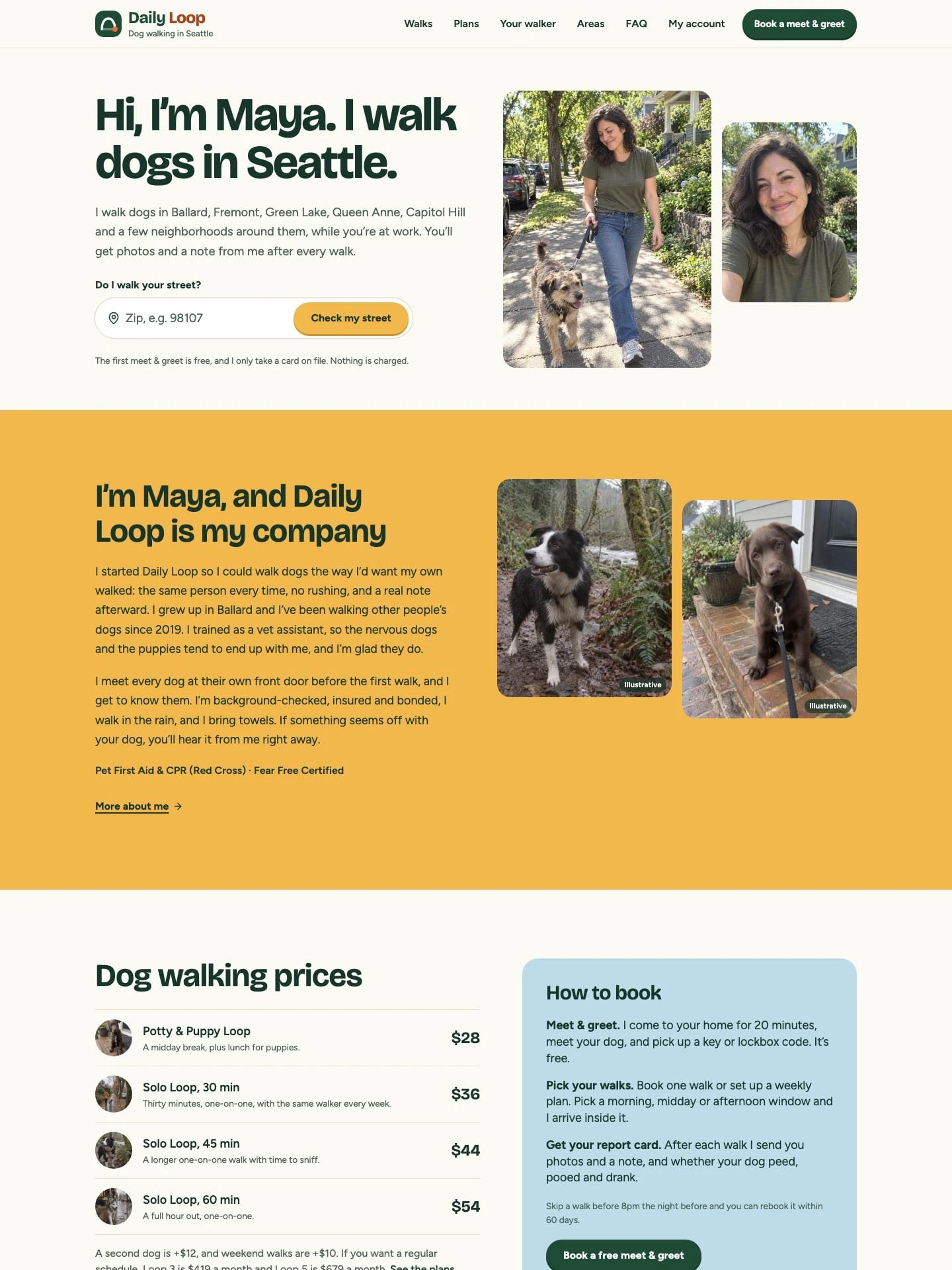
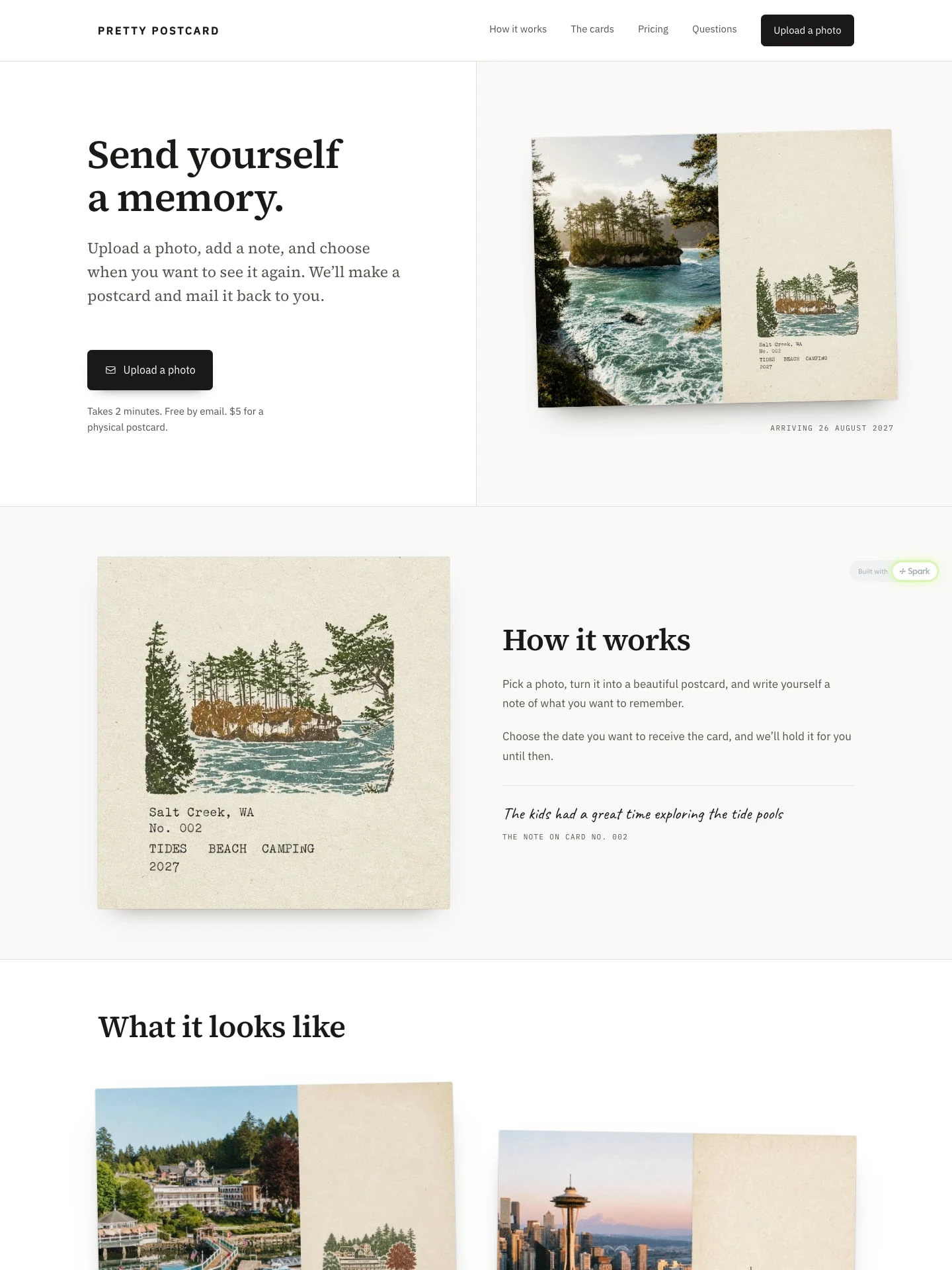
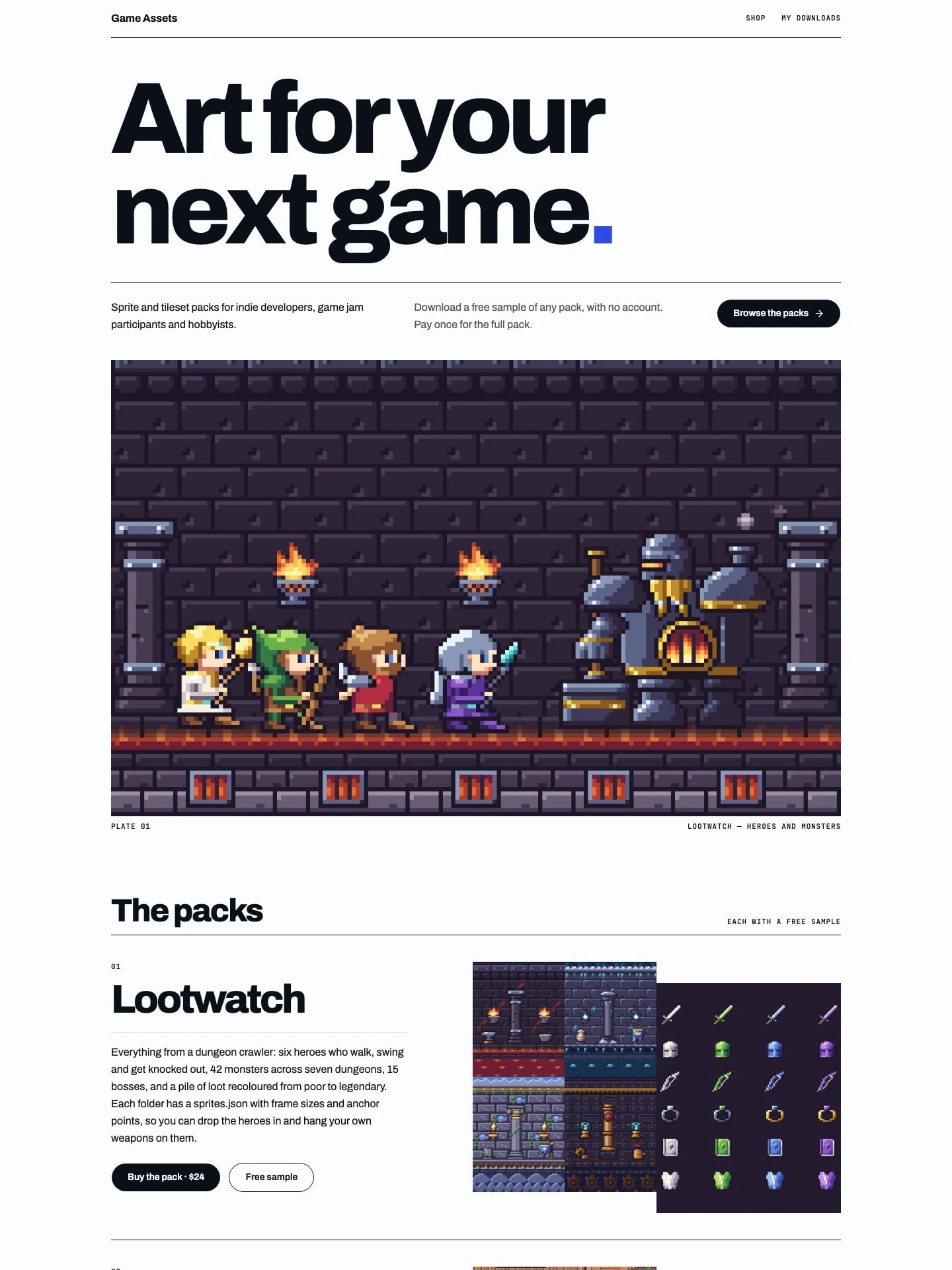
Start with Driveway Detail Co.
Here's what happens when you start.
- It opens in your account Driveway Detail Co. appears as a new project in Spark. New to Spark? You make an account first.
- Make it yours Ask Spark for your name, your vans, your area and your prices.
- Connect Stripe and publish Publish and your page goes live at its own address. Taking payments needs a paid plan.